AXISP5635-EPTZMkIIDomeNetworkCamera
PTZ(PanTiltZoom)
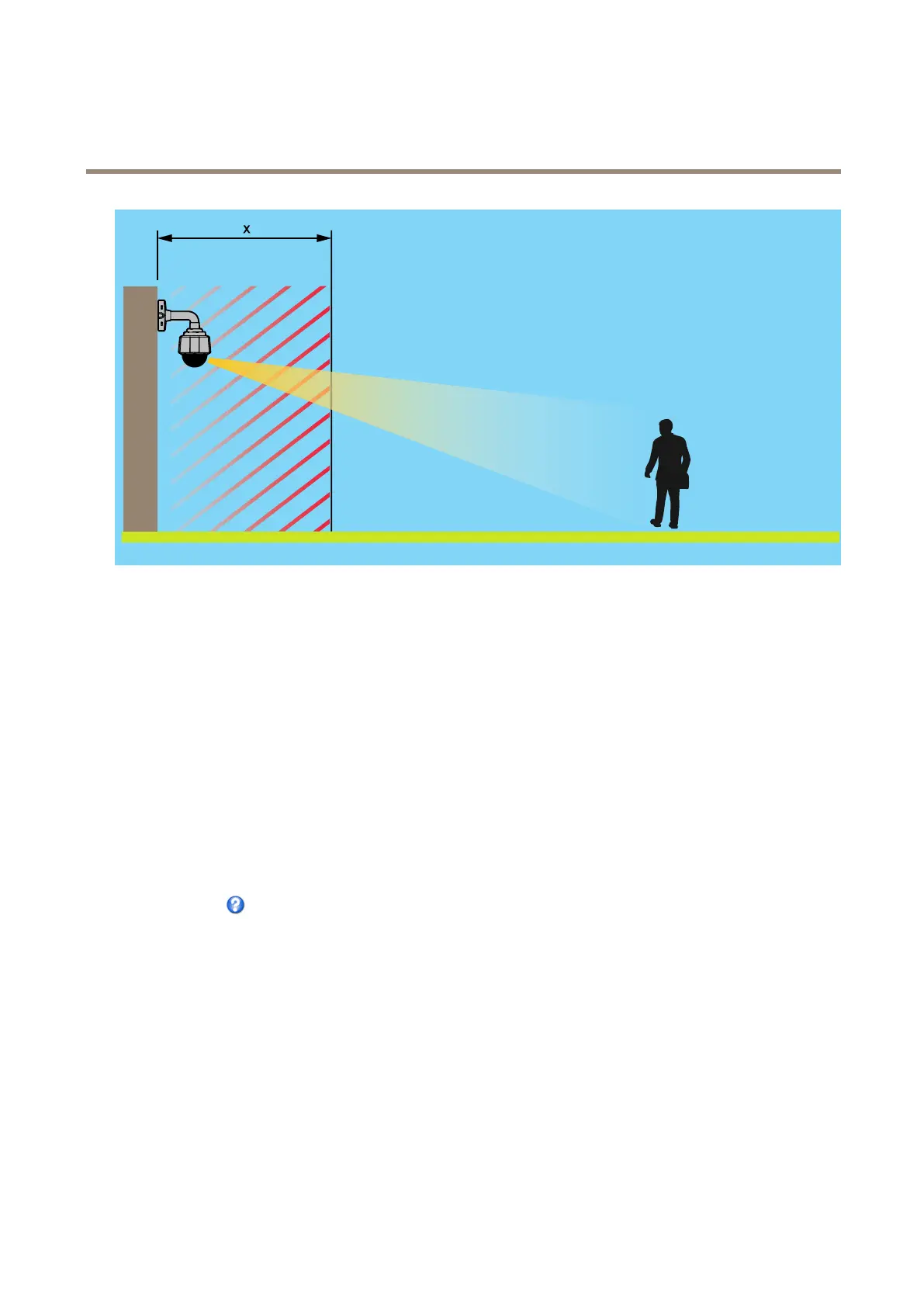
AdaptiveNearLimitisafeaturethatincreasesthenearfocuslimitwiththezoomratio.Theminimumvalueis1.2minwide(1x)
andthehighestvalueiswhatisspeciedinthewebGUIasnearfocuslimit.
Movespeedsetsthespeedofthecamera’spanandtiltmovements.Thedefaultsettingismaximumspeed.
Whenusingajoystick(oremulatingonewiththemouse)theEnableproportionalspeedsettingcanbeusedtoreducethemaximum
pan/tiltmovementspeed,i.e.thespeedthecameraviewmovesatwhenthejoystickispushedallthewayoutinanydirection.Thisis
usefulthentheviewiszoomedinonanobject.
Speedzoomincreasesthespeedwhenzoominginatthecostofinitialimagequalityduringthezoommove.Ifyouenablebothspeed
zoomandautofocus,thespeedzoomkicksineachtimeyou,forexample,moveintoafocusrecallareaorapresetpositionwhere
autofocusisdisabled.Conditionswhenspeedzoomdoesn’twork:
•Whenautofocusisactive
•Outsidetheopticalzoomrange
•Ifane-iphasbeenperformed,i.e.whenthemechanicsisinthewrongposition
Toenablethespeedzoomfeature,gotoSetup>PTZ>Advanced>Limits.
Seetheonlinehelp
formoreinformation.
Controls
AdvancedPTZsettingscanbeconguredunderPTZ>Advanced>Controls.
ThePanelShortcutCommandButtonslistshowstheuser-denedbuttonsthatcanbeaccessedfromtheLiveViewpage’sCtrl
panel.ThesebuttonscanbeusedtoprovidedirectaccesstocommandsissuedusingtheVAPIX®applicationprogramminginterface.
ClickAddtoaddanewshortcutcommandbutton.
ThefollowingPTZcontrolsareenabledbydefault:
•Pancontrol
•Tiltcontrol
•Zoomcontrol
35













 To Next Page