AXISQ1798-LENetworkCamera
Additionalsettings
8.Inthelistofactions,selectOutputport,andthenselecttheporttheAXISI/OIndicationLEDisconnectedto.Setthe
statetoActiveandsetdurationasrequired.
9.Savetherule.
OtherscenarioswhereAXISI/OIndicationLEDcanbeusedareforexample:
•ConguretheLEDtoturnonwhenthecamerastarts,toindicatethepresenceofthecamera.SelectSystemreadyas
acondition.
•ConguretheLEDtoturnonwhenlivestreamisactivetoindicatethatapersonoraprogramisaccessingastreamfrom
thecamera.SelectLivestreamaccessedasacondition.
CongureI/Oports
Youneedtoconnecttheswitchrelaytothecamerafromthecamera’swebpage.First,conguretheI/Oports:
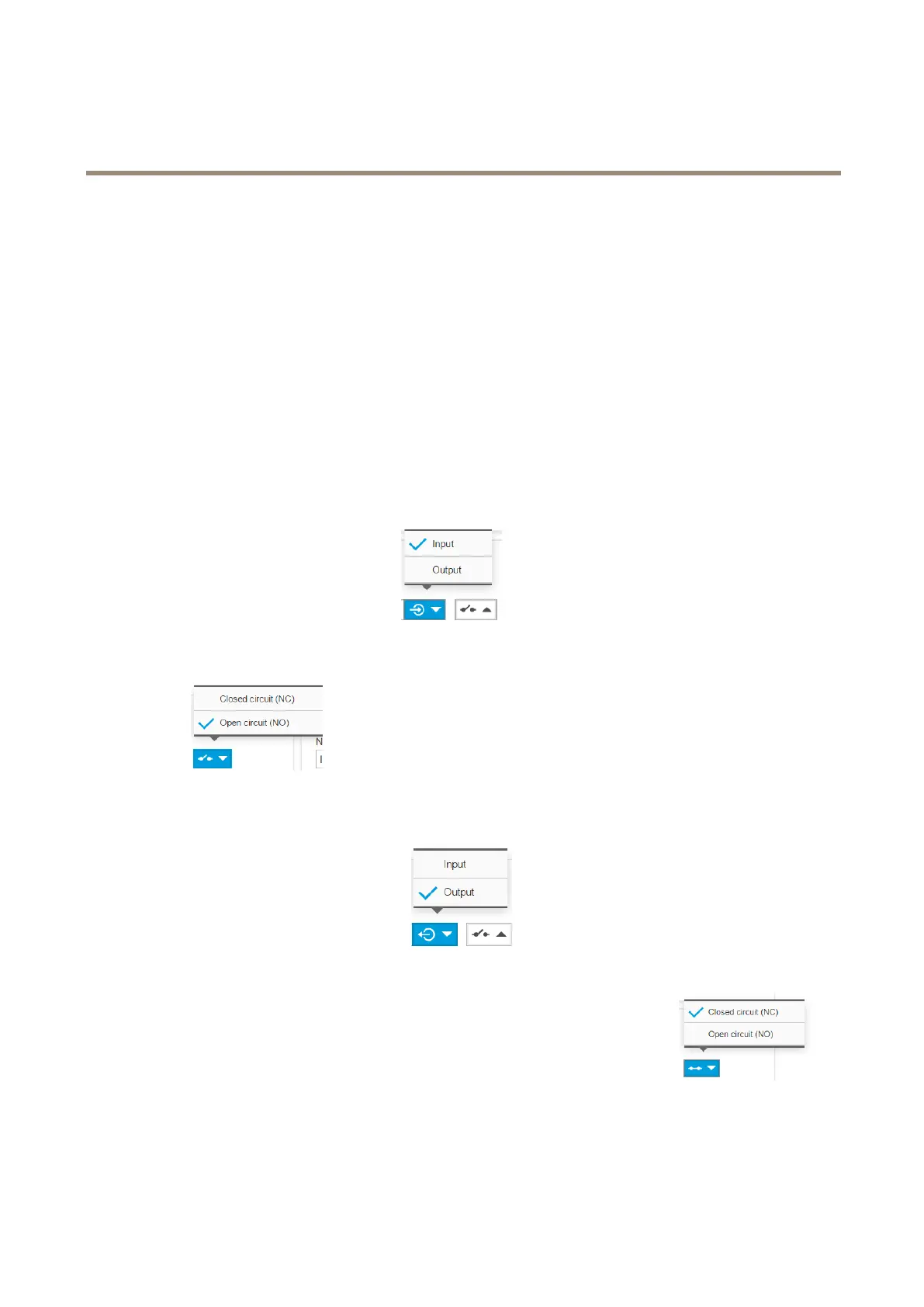
SetthePIRdetectortoaninputport
1.GotoSystem>I/Oports.
2.SelectInputinthePort1drop-downlist.
3.Givetheinputmoduleadescriptivename,forexample“PIRdetector”.
4.TotriggeraneventwheneverthePIRdetectorsensesmotion,selectOpencircuitinthedrop-down
list.
Settheswitchrelaytoanoutputport
1.GotoSystem>I/Oports.
2.SelectOutputinthePort2drop-downlist.
3.Givetheoutputmoduleadescriptivename,forexample“Gateswitch”.
4.Toopenthegatewheneveraneventistriggered,selectClosedcircuitinthedrop-downlist.
Createrules
ForthecameratoopenthegatewhenthePIRdetectorsensessomeonenearby,youneedtocreatearuleinthecamera:
20



 To Next Page