1x
Camera owner authentication key
The authentication key on this label is used to authenticate the owner/administrator of this Axis
camera. The key is associated with the camera’s unique serial number (S/N), as shown at the top of the
label. The authentication key is used for registering the camera with an AVHS service provider for hosted
video. For more information and help to find a local AVHS Service Provider, go to:
Please retain thi s document for future reference.
©2006-2010 Axis Communications AB.
Axis is a registered trademark. All other company names and products are
trademarks or registered trademarks of their respective companies. We
reserve the right to i ntroduce modifications without notice.
Part No. 38655
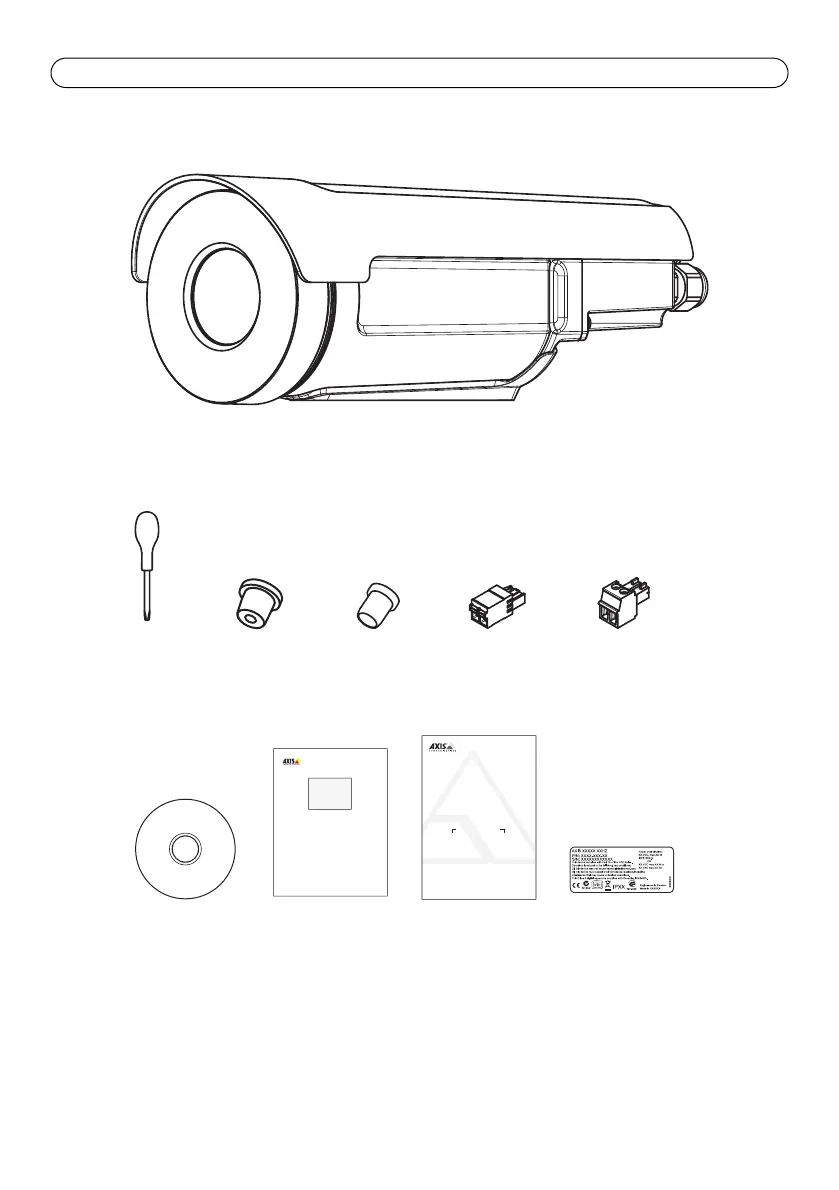
1x
1x
2x
1x
1x
1x
2x
1x
AxisCommunications AB. Emdalavägen14, 223 69 Lund,Sweden. Tel:+46 46 272 18 00 Fax: +46 4613 61 30. www.axis.com
Application License Code
37306/R1.0/NOV09
Through the registration of this license code and youracceptance of the license agreement
for the application, you will be able to use the application on one ormore video products,
as specified on the label above.
Instructions
1. Download the application from www.axis.com/applications/
2. Install the application in the video product.
3. Register the License Code and video product’s serial number at
www.axis.com/applications/register/ to obtain the License Key.
4. Install the License Key file(s) on the video product(s) via the product’s web interface.
End-user license agreement:
Please note that this application is covered by a license agreement in which the terms and conditions for your
use of the application are set forth. The application must be downloaded, in accordance with the instructions
above, and the terms and conditions in the license agreement must be accepted prior to your registration of
the License Code with a product serial number.
The license agreement is available for your review at www.axis.com/applications/ and available for
acceptance when initiating the download of the application. If you do not agree to the terms and conditions of
the license agreement, you may not use the application.
1x


 To Next Page
 Loading...