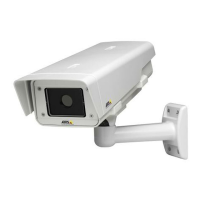
AXISQ1942-EPTMountThermalNetworkCamera
Technicalspecifications
Technicalspecifications
Youcanndthelatestversionofthetechnicalspecicationsatwww.axis.com
LEDIndicators
StatusLED
Indication
Unlit
Connectionandnormaloperation.
GreenConnectionandnormaloperation.
Amber
Steadyduringstartup.Flashesduringrmwareupgradeorresettofactorydefault.
Amber/RedFlashesamber/redifnetworkconnectionisunavailableorlost.
RedFirmwareupgradefailure.
SDcardslot
NO NO
NO
TICE TICE
TICE
•RiskofdamagetoSDcard.Donotusesharptools,metalobjectsorexcessiveforcewheninsertingorremovingthe
SDcard.Useyourngerstoinsertandremovethecard.
•Riskofdatalossandcorruptedrecordings.DonotremovetheSDcardwhiletheproductisrunning.Disconnectpoweror
unmounttheSDcardfromtheAxisproduct’swebpagesbeforeremoval.
ThisproductsupportsmicroSD/microSDHC/microSDXCcards(notincluded).
ForSDcardrecommendations,seewww.axis.com
Buttons
ControlButton
Forlocationofthecontrolbutton,seeHardwareoverviewonpage7.
Thecontrolbuttonisusedfor:
•Resettingtheproducttofactorydefaultsettings.Seepage51.
•ConnectingtoanAXISVideoHostingSystemservice.Seepage43.Toconnect,pressandholdthebuttonforabout3
secondsuntiltheStatusLEDashesgreen.
•ConnectingtoAXISInternetDynamicDNSService.Seepage43.Toconnect,pressandholdthebuttonforabout3seconds.
Connectors
Networkconnector
RJ45EthernetconnectorwithPoweroverEthernet(PoE).
NO NO
NO
TICE TICE
TICE
Theproductshallbeconnectedusingashieldednetworkcable(STP).Allcablesconnectingtheproducttothenetworkshall
beintendedfortheirspecicuse.Makesurethatthenetworkdevicesareinstalledinaccordancewiththemanufacturer’s
instructions.Forinformationaboutregulatoryrequirements,seeElectromagneticcompatibility(EMC)onpage2.
55


 To Next Page