AXISQ60PTZNetworkCameraSeries
Repainttheproduct
Repainttheproduct
Preparations
•Disassemblethedeviceaccordingtotheinstructionsinthisdocument.
•Cleanallpartstoberepaintedthoroughlytoremovegrease,dust,oroil.
•Toensurereassemblyandfunctionalityoftheproduct,maskanyopeningsbeforeyoupaint.
Pretreatmentofparts
Dependingonthepartmaterialandtypeofpaintappliedatfactory,differentpretreatmentshouldbedoneforthenewpaintto
adhereaswellaspossible.Cleanthepartsproperlytoremoveoil,greaseanddust.
Formoreinformationonthematerialsusedintheproduct,seeitsdatasheetatwww.axis.com
Powdercoatedparts-Useaprimer.Alternatively,removetheoriginalpowdercoatingdowntothebasematerial,usingne
sandpaper,andcleanthepartsbeforepainting.
Anodisedandchromatedparts-Useaprimer.
Uncoatedstainlesssteel-Nospecialpretreatmentisneeded,butmakesurethatthesurfaceiscleanbeforepainting.
Plastic-Useaprimer.
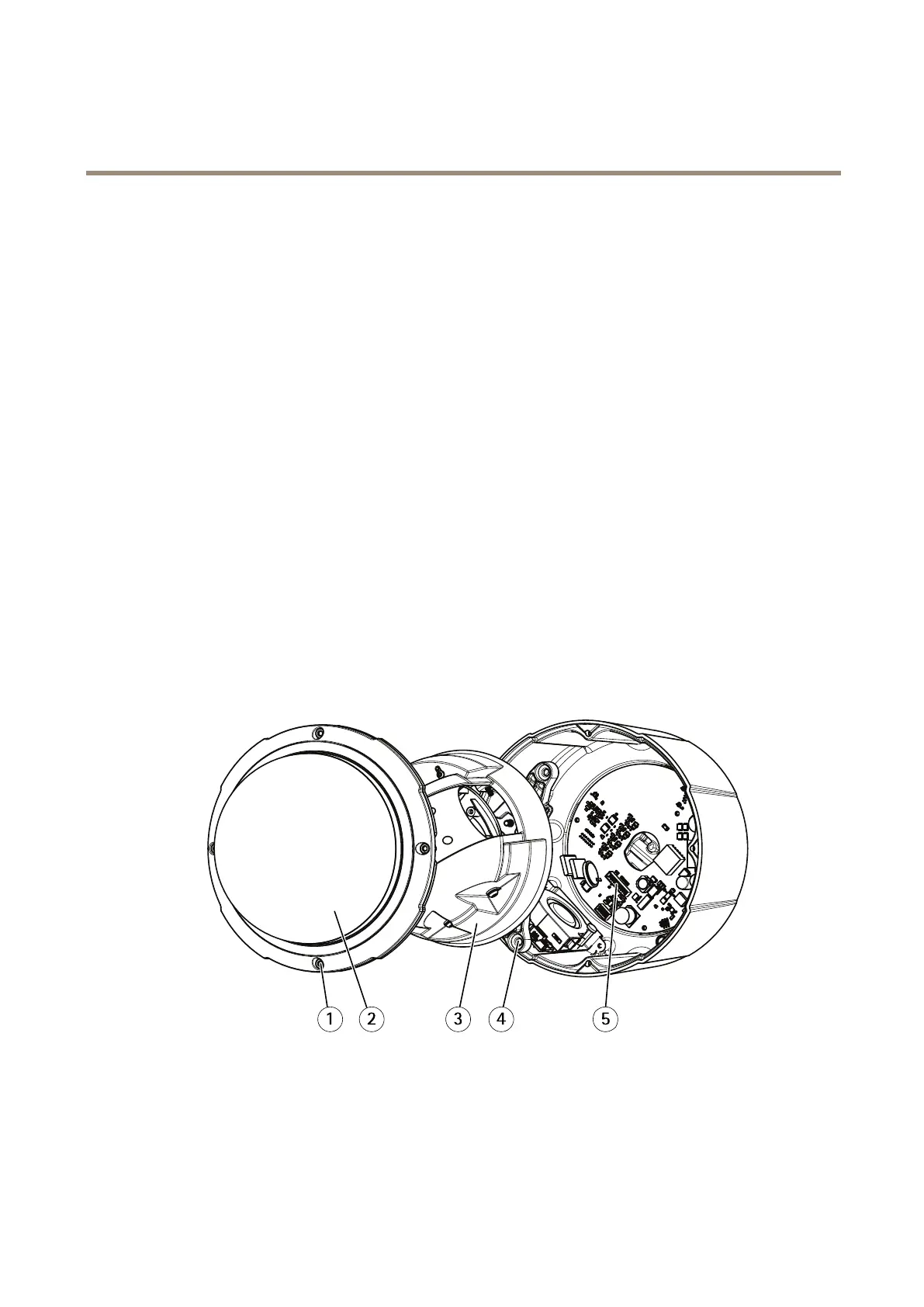
Disassembly
Chassis
1
Antilossscrew
2
Domeassembly
3
Cameraassembly
4
Screw
5
Powerconnector
1.Loosenthefourantilossscrewsandremovethedomeassemblyfromthecamera.
3



 To Next Page
 Loading...








