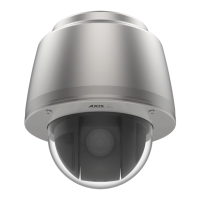
AXISQ6010-ENetworkCamera
Troubleshooting
Thedeviceisaccessiblelocallybutnotexternally
Toaccessthedeviceexternally,werecommendusingoneofthefollowingapplicationsforWindows
®
:
•AXISCompanion:freeofcharge,idealforsmallsystemswithbasicsurveillanceneeds.
•AXISCameraStation:30-daytrialversionfreeofcharge,idealforsmalltomid-sizesystems.
Forinstructionsanddownload,gotoaxis.com/vms.
Problemswithstreaming
MulticastH.264only
accessiblebylocalclients
Checkifyourroutersupportsmulticasting,oriftheroutersettingsbetweentheclientandthe
deviceneedtobecongured.TheTTL(TimeToLive)valuemayneedtobeincreased.
NomulticastH.264
displayedintheclient
CheckwithyournetworkadministratorthatthemulticastaddressesusedbytheAxisdevice
arevalidforyournetwork.
Checkwithyournetworkadministratortoseeifthereisarewallpreventingviewing.
PoorrenderingofH.264
images
Ensurethatyourgraphicscardisusingthelatestdriver.Thelatestdriverscanusuallybe
downloadedfromthemanufacturer’swebsite.
Colorsaturationisdifferent
inH.264andMotionJPEG
Modifythesettingsforyourgraphicsadapter.Gototheadapter’sdocumentationformore
information.
Lowerframeratethan
expected
•SeePerformanceconsiderationsonpage20.
•Reducethenumberofapplicationsrunningontheclientcomputer.
•Limitthenumberofsimultaneousviewers.
•Checkwiththenetworkadministratorthatthereisenoughbandwidthavailable.
•Lowertheimageresolution.
•Logintothedevice’swebpageandsetacapturemodethatprioritizesframerate.
Changingthecapturemodetoprioritizeframeratemightlowerthemaximum
resolutiondependingonthedeviceusedandcapturemodesavailable.
•Themaximumframespersecondisdependentontheutilityfrequency(60/50Hz)
oftheAxisdevice.
Can'tselectH.265encoding
inliveview
WebbrowsersdonotsupportH.265decoding.Useavideomanagementsystemorapplication
supportingH.265decoding.
One-clickPTZcontrolisnotworkingproperly
Checkfocusonallfour
lenses
GotoSettings>Apps>AXISInstallationwizard,andopentheapplication.GotoCameraX>
Lensselection,andselectthelens.DoanInstallationfocus.
CheckthePTZremote
connectionstatus
GotoSettings>Apps>AXISInstallationwizard,andopentheapplication.GotoGeneral>PTZ
remoteconnection,andmakesurethatthestatusissettoConnected.Ifit’snot,clickCongure
anddoaPTZremoteconnection.EnterthecorrectIPaddressandpassword.
CheckthePTZpositioning
calibrationstatus
GotoSettings>Apps>AXISInstallationwizardandopentheapplication.GotoGeneral>PTZ
positioningcalibration,andmakesurethatthestatusissettoCalibrated.Ifit’snot,doanauto
calibrationoramanualcalibration.
Quadviewisnotworkingproperly
Problemsdisplayingall
cameraviewsononescreen.
Quadviewdoesn’tworkifanyofthecameralensesarerotated.
Performanceconsiderations
Whensettingupyoursystem,itisimportanttoconsiderhowvarioussettingsandsituationsaffecttheperformance.Somefactors
affecttheamountofbandwidth(thebitrate)required,otherscanaffecttheframerate,andsomeaffectboth.Iftheloadonthe
CPUreachesitsmaximum,thisalsoaffectstheframerate.
Thefollowingfactorsarethemostimportanttoconsider:
20



 To Next Page