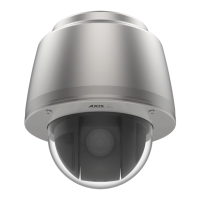
AXISQ6052PTZDomeNetworkCamera
VideoandAudio
Formoreexamplesofhexadecimalvalues,seetheonlinehelp.
-Toscaletheimageautomatically,selectScalewithresolution.Theimagewillbescaleddowntotthe
resolutionusedbytheAxisproduct.
5.ClickSave.
Howtoincludeanoverlayimage
1.GotoVideo&Audio>OverlayImage.
2.SelecttheimagetousefromtheUseoverlayimagelistandclickSave.
3.GotoVideo&Audio>VideoStreamandselecttheImagetab.
4.UnderOverlaySettings,selectIncludeoverlayimageatthecoordinates.
5.Tocontroltheimage’sposition,entertheX(horizontal)andY(vertical)coordinates.TheX=0andY=0positionis
thetopleftcorner.Ifapartoftheimageispositionedoutsidethevideoimage,theoverlayimagewillbemovedso
thatthewholeimageisvisible.
6.ClickSave.
PrivacyMask
Aprivacymaskisanareaofsolidcolorthatprohibitsusersfromviewingpartsofthemonitoredarea.Privacymaskscannotbe
bypassedviatheVAPIX®ApplicationProgrammingInterface(API).
ThePrivacyMaskList,Video&Audio>PrivacyMask,showsallthemasksthatarecurrentlyconguredintheAxisproductand
indicatesiftheyareenabled.
SincethePan/Tilt/Zoomcoordinatesdeneitssizeandposition,aprivacymaskisdynamicinrelationtothemonitoredarea.This
meansthatregardlessoftheangleandzoomofthelens,thesameplaceorobjectwillbehidden.Todeneatwhatmagnicationthe
maskshouldbedisplayed,zoomtothedesiredlevelandclickSetlevel.
Youcanaddanewmask,re-sizethemaskwiththemouse,chooseacolorforthemask,andgivethemaskaname.
Formoreinformation,seetheonlinehelp
.
Important
Addingmanyprivacymasksmayaffecttheproduct’sperformance.
SetUpAudio
Tochangetheproduct’saudiosettings,gotoVideo&Audio>AudioSettings.
Toincludetheaudiostreaminavideostream,gotoVideo&Audio>VideoStream.UndertheAudiotab,selectEnableaudio.
Eachstreamproleisaseparatevideostream.Toincludetheaudiostreaminallstreamproles,gototheaudiotabineachstream
prolesettingspageandenableaudio.Formoreinformation,seeAboutstreamprolesonpage21.
Note
AnAxismulticable(seeAxismulticableonpage63)isrequiredwhenconnectingexternalaudioequipmenttotheAxisproduct.
AudioModes
TheAxisproductsupportsthefollowingaudiomodes:
•Fullduplex–Simultaneoustwo-wayaudioallowingtheAxisproducttotransmitandreceiveaudioatthesametime.
26



 To Next Page