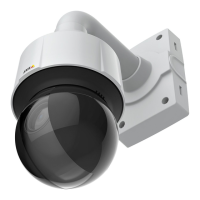
AXISQ6128-EPTZNetworkCamera
Video
ExposureSettings
Exposurecontrol-Thesesettingsisusedtoadapttotheamountoflightused.Automaticisthedefaultsettinganditcanbe
usedinmostsituations.Theshutterspeedisautomaticallysettoproduceoptimumimagequality.UseManualifyouhavespecial
requirementsfortheexposuresettingandwishtolockit.Selectthedesiredexposuretimefromthedrop-downlist.
Maxexposuretime-Shutterspeed,alsocalled‘exposuretime’,standsforthelengthoftimethecamerashutterisopen,thereby
exposingthecamerasensortolight.Ifshutterspeedisfastitcanfreezeactioneffectively.Ifshutterspeedisslow,itcancause
movingobjectstoappearblurred.Decreasingtheexposuretimewillreducemotionblur.
Allowslowshutter-SelectAllowslowshuttertoletthecameradecreasetheshutterspeedinlowlighttoimproveimagebrightness.
EnableBacklightcompensation-SelectEnableBacklightcompensationifabrightspotoflightsuchasalightbulb,causesother
areasintheimagetoappeartoodark.
EnableHighlightcompensation-Thissettingdetectsbrightlightsfromasourcesuchasatorchorcarheadlightsandmasksthat
imagearea.Thefeatureisusefulwhenthecameraoperatesinaverydarkareawhereabrightlightmayoverexposepartoftheimage
andpreventtheoperatorfromseeingotherpartsofthescene.
Maxgain-Measuredindecibels(dB),gaindescribestheamountofamplicationappliedtoasignal,inthiscasethevisual
informationintheimage.Ahighlevelofamplicationmayprovideabetterimageinverylowlightsituations.Ahighgainwillalso
increasetheamountofimagenoise.
Exposurezones-Thissettingdetermineswhichpartoftheimageisusedtocalculatetheexposure.Formostsituations,theAuto
settingcanbeused.Forparticularrequirements,selectapredenedarea.
IRcutlter-TheIRcutlterpreventsinfrared(IR)lightfromreachingtheimagesensor.Inpoorlightingconditions,orwhen
usinganexternalIRlamp,settheIRcutltertoOff.Thisincreaseslightsensitivityandallowstheproductto“see”infraredlight.
TheimageisshowninblackandwhitewhentheIRcutlterisoff.SettheIRcutltertoAutotoautomaticallyswitchbetween
OnandOffaccordingtothelightingconditions.
Day/Nightshiftpriority-UsetheDay/Nightshiftprioritybartodeterminewhenthecamerashiftsintoeitherdaymodeornight
mode.Bydefault,thecamerawillautomaticallychangefromdaytonightmodeatapre-denedlevelwhichcorrespondstolight
conditions.Bydraggingthebarhandletowardsthesun,thecamerawillchangetodaymodeearlierandchangetonightmodelate.
ImageSettings
Important
Theautofocusbehaviorisaffectedbyfactorssuchaslightconditions,contrastsinthescene,andobjectsmovinginandout.In
theseconditionsorscenes,amanualfocuscouldbepreferabletoenhanceperformanceandallowthecameratofocusfaster.
Autofocusenabled-Autofocusenablesthecameratofocusalthoughthedistancetodifferentobjectsofinterestisconstantly
changing.Wheneverthecamera’span/tilt/zoompositionischanged,theautofocusperformsasearchtondtheidealfocuspoint.
Automaticfocusingisenabledbydefault.Ifthefocuspositionischangedmanuallyusingthefocusbar,autofocuswillbedisabled
evenifenabledinImageSettings.Inthiscase,usethePTZcontrolpaneltoenableautofocus,seepage10.Ifrequired,thefocus
controlcanbedisabledunderPTZ>Advanced>Controls.
Defog-Selectthisfeaturetocountertheeffectsoffoggyweatherandgetaclearimage.
Noisereduction-SettoOntoenablenoisereduction.Noisereductionmayincreasetheamountofmotionblur.
Stabilizer-Whenmonitoringenvironmentsthataresubjecttovibrations(e.g.trafccontrol),imagesmayappeartobeunsteady.
SelectOntosteadytheimage.Seetheonlinehelp
formoreinformation.
ImagefreezeonPTZ-SelectAllmovementstofreezetheimagewhilethecameraismovingduringapan,tiltorzoomoperation.
Oncethecamerareachesitsnewposition,theviewfromthatpositionisshown.Presetsfreezestheimageonlywhenthecamera
movesbetweenpresetpositions.
18


 To Next Page







