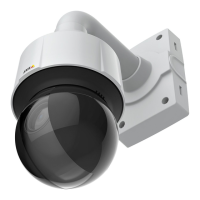
AXISQ6128-EPTZNetworkCamera
PTZ(PanTiltZoom)
SetNewPan0°
Important
SetnewPan0°affectsallpreviouslydenedpresets,guardtours,masksetc.
Autotracking
TheAxisproductcandetectmovementintheeldofview,forexampleamovingvehicleorperson.Ifautotrackingisenabled,the
Axisproductwillautomaticallypanandtilttofollowthemovingobject.Incasethereismuchsimultaneousmovement,theareawith
themostmovementwillbefollowed.Autotrackingcontinuesuntilthemovingobjectstopsordisappearsfromthemonitoredarea.
Movementinareasblockedbyprivacymasksandinexcludeareasdoesnottriggerautotracking.
ItisstronglyrecommendedtoenablethePTZControlQueueifautotrackingandguardtourareenabledsimultaneously.InthePTZ
ControlQueue,guardtourhaslowerprioritythanautotracking,soautotrackingwillnotbeabandonedtostartaguardtour.
Conguration
Start/StopAutotracking-ClickStarttoenableautotracking.Todisableautotracking,clickStop.
Settings-TheMovementtriggersensitivitylevelcanbesettoLow,MediumorHigh.Mediumisusuallyagoodchoice,dependingon
thesizeofthemovingobjectsandtheimagecontrast,aloworhighsensitivitymightbemoresuitable.
ExcludeAreas
Excludeareasareareaswheremovementistobeignored.
Note
Movementinanareablockedbyaprivacymaskisalwaysignored.
1.ClickAddareatocreateanexcludearea
2.Resizeandmovethearea(thebluerectangle)tothedesiredposition.
3.EnteradescriptivenameandclickSave.
Toremoveanarea,clickthenameoftheareaandclickRemove.Toenableordisableanarea,clickthenameoftheareaand
clickEnable/Disable.
MaxLimits
Thepanandtiltlimitsrestricttheareawhereautotrackingisallowed.Theareabeyondthesetlimitswillbeignored.Thismayprove
useful,forexample,toavoidtrackingbirdsinthesky.Betweenthepanstartandendlimits,autotrackingisallowedgoingclockwise.
Theillustrationsshowthedifferencebetweensettingarangefrom135°to45°(1)andarangefrom45°to135°(2).
1.SelectEnabletiltlimitandEnablepanlimitrespectivelytoenablethetiltandpanlimits.
2.EntertheTiltangleandPanlimitvalues,orclickthelinksandmovethebluehorizontalandverticalbarsinthepreview
windowuntilsatised.
3.ClickSave.
25


 To Next Page
 Loading...






