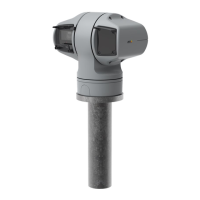
AXISQ6215-LEPTZNetworkCamera
Additionalsettings
2.Typeanamefortherule.
3.Inthelistofconditions,selectavideomotiondetectionconditionunderApplication.
4.Fromthelistofactions,selectGotopresetposition.
5.Selectthepresetpositionyouwantthecameratogoto.
6.ClickSave.
Zoominonaspecicareaautomaticallywithgatekeeper
Thisexampleexplainshowtousethegatekeeperfunctionalitytomakethecamerazoominautomaticallyonthelicenseplateofa
carthatpassesthroughagate.Whenthecarhaspassed,thecamerazoomsouttothehomeposition.
Createthepresetpositions:
1.GotoSettings>PTZ>Presetpositions.
2.Createthehomepositionthatincludestheentranceofthegate.
3.Createthezoomed-inpresetpositionsothatitcoverstheareaintheimagewhereyouassumethatthelicenseplate
willappear.
Createamotiondetectionprole:
1.GotoSettings>AppsandopenAXISVideoMotionDetection.
2.Createaprolethatcoverstheentranceofthegateandthensavetheprole.
Createarule:
1.GotoSettings>System>Eventsandaddarule.
2.Nametherule“Gatekeeper”.
3.Inthelistofconditions,underApplication,selectthemotiondetectionprole.
4.Inthelistofactions,underPresetpositions,selectGotopresetposition.
5.SelectaVideochannel.
6.SelectthePresetposition.
7.Tomakethecamerawaitawhilebeforeitreturnstothehomeposition,selectHometimeout,andsetatime.
8.ClickSave.
Recordvideowhenthecameradetectsimpact
Shockdetectionallowsthecameratodetecttamperingcausedbyvibrationsorshock.Vibrationsduetotheenvironmentortoan
objectcantriggeranactiondependingontheshocksensitivityrange,whichcanbesetfrom0to100.Inthisscenario,someoneis
throwingrocksatthecameraafterhoursandyouwouldliketogetavideoclipoftheevent.
Turnonshockdetection:
1.GotoSettings>System>Detectors.
2.Turnonshockdetection,andsetavaluefortheshocksensitivity.
Createarule:
1.GotoSettings>System>Eventsandaddarule.
2.Typeanamefortherule.
15



 To Next Page