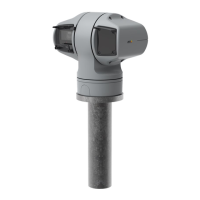
AXISQ6215-LEPTZNetworkCamera
Specifications
Specifications
Tondthelatestversionoftheproduct’sdatasheet,gototheproductpageataxis.comandlocateSupport&Documentation.
SDcardslot
NO NO
NO
TICE TICE
TICE
•RiskofdamagetoSDcard.Donotusesharptools,metalobjects,orexcessiveforcewheninsertingorremovingthe
SDcard.Useyourngerstoinsertandremovethecard.
•Riskofdatalossandcorruptedrecordings.DonotremovetheSDcardwhiletheproductisrunning.UnmounttheSDcard
fromtheproduct’swebpagebeforeremoval.
ThisproductsupportsSD/SDHC/SDXCcards.
ForSDcardrecommendations,seeaxis.com.
SD,SDHC,andSDXCLogosaretrademarksofSD-3CLLC.SD,SDHCandSDXCaretrademarksorregistered
trademarksofSD-3C,LLCintheUnitedStates,othercountriesorboth.
Buttons
Controlbutton
Thecontrolbuttonisusedfor:
•Resettingtheproducttofactorydefaultsettings.SeeResettofactorydefaultsettingsonpage17.
Connectors
Networkconnector
RJ45Push-pullConnector(IP66)withHighPoweroverEthernet(HighPoE).
NO NO
NO
TICE TICE
TICE
TocomplywiththeIP66-rateddesignofthecameraandmaintaintheIP66protection,thesuppliedRJ45Push-pullConnector
(IP66)shallbeused.Alternatively,usetheRJ45IP66-ratedcablewithpremountedconnectorwhichisavailablefromyour
Axisreseller.Donotremovetheplasticnetworkconnectorshieldfromthecamera.
20



 To Next Page