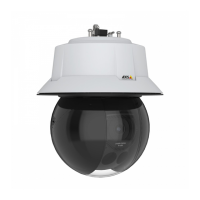
AXISQ6318-LEPTZCamera
Configureyourdevice
4.Typeanamefortherule.
5.Inthelistofconditions,underDevicestatus,selectShockdetected.
6.Click+toaddasecondcondition.
7.Inthelistofconditions,underScheduledandrecurring,selectSchedule.
8.Inthelistofschedules,selectAfterhours.
9.Inthelistofactions,underRecordings,selectRecordvideowhiletheruleisactive.
10.Selectwheretosavetherecordings.
11.SelectaCamera.
12.Settheprebuffertimeto5seconds.
13.Setthepostbuffertimeto50seconds.
14.ClickSave.
13


 To Next Page