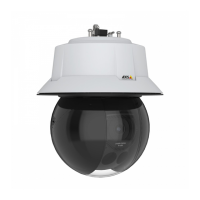
AXISQ6318-LEPTZCamera
Configureyourdevice
3.ClickAddpresetpositiontocreateanewpresetposition.
Adjustthecameraview(PTZ)
Tolearnmoreaboutdifferentpan,tilt,andzoomsettings,seePan,tilt,andzoom(PTZ)onpage48.
1.GotoPTZ>Limits.
2.Setthelimitsasneeded.
Createarecordedguardtour
1.GotoPTZ>Guardtours.
2.Click
Guardtour.
3.SelectRecordedandclickCreate.
4.Enteranamefortheguardtourandspecifythepauselengthbetweeneachtour.
5.ClickStartrecordingtourtostartrecordingthepan/tilt/zoommovements.
6.Whenyou’resatised,clickStoprecordingtour.
7.ClickDone.
8.Toscheduletheguardtour,gotoSystem>Events.
Viewandrecordvideo
Thissectionincludesinstructionsaboutconguringyourdevice.Tolearnmoreabouthowstreamingandstorageworks,goto
Streamingandstorageonpage48.
Reducebandwidthandstorage
Important
Reducingthebandwidthcanresultinlossofdetailsintheimage.
1.GotoVideo>Stream.
2.Click
intheliveview.
3.SelectVideoformatH.264.
4.GotoVideo>Stream>GeneralandincreaseCompression.
5.GotoVideo>Stream>Zipstreamanddooneormoreofthefollowing:
-SelecttheZipstreamStrengththatyouwanttouse.
Note
TheZipstreamsettingsareusedforbothH.264andH.265.
-TurnonDynamicFPS.
-TurnonDynamicGOPandsetahighUpperlimitGOPlengthvalue.
9


 To Next Page