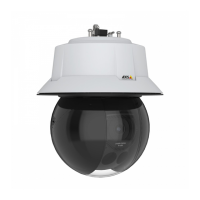
AXISQ6318-LEPTZCamera
Configureyourdevice
2.SelectImageandclick.
3.ClickImages.
4.Draganddropanimage.
5.ClickUpload.
6.ClickManageoverlay.
7.Selecttheimageandaposition.Youcanalsodragtheoverlayimageintheliveviewtochangetheposition.
Showatextoverlay
Youcanaddatexteldasanoverlayinthevideostream.Thisisusefulforexamplewhenyouwanttodisplaythedate,timeora
companynameinthevideostream.
1.GotoVideo>Overlays.
2.SelectTextandclick
.
3.Typethetextyouwanttodisplayinthevideostream.
4.Selectaposition.Youcanalsodragtheoverlaytexteldintheliveviewtochangetheposition.
Showthepanortiltpositionasatextoverlay
Youcanshowthepanortiltpositionasanoverlayintheimage.
1.GotoVideo>Overlaysandclick
.
2.Inthetexteld,type#xtoshowthepanposition.
Type#ytoshowthetiltposition.
3.Chooseappearance,textsize,andalignment.
4.Thecurrentpanandtiltpositionsshowupintheliveviewimageandintherecording.
Addstreetnamesandcompassdirectiontotheimage
Note
Thepresetpositionsandcompassdirectionwillbevisibleinthecompasseldinallvideostreamsandrecordings.
Toactivatethecompass:
1.GotoPTZ>Orientationaid.
2.TurnonOrientationaid.
3.Positionthecameraviewatnorthwiththecrosshair.ClickSetnorth.
Toaddapresetpositiontoshowinthecompasseld:
1.GotoPTZ>Presetpositions.
2.Usethecrosshairtopositiontheviewwhereyouwanttoaddapresetposition.
8


 To Next Page