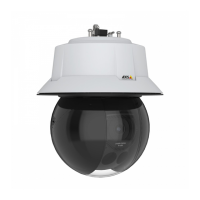
AXISQ6318-LEPTZCamera
Thedeviceinterface
Lockaperture:TurnontokeeptheaperturesizesetbytheApertureslider.Turnofftoallowthecameratoautomatically
adjusttheaperturesize.Youcan,forexample,locktheapertureforsceneswithpermanentlightconditions.
Aperture:Usetheslidertoadjusttheaperturesize,thatis,howmuchlightpassesthroughthelens.Toallowmorelight
toenterthesensorandtherebyproduceabrighterimageinlow-lightconditions,movetheslidertowardsOpen.Anopenaperture
alsoreducesthedepthofeld,whichmeansthatobjectsclosetoorfarfromthecameracanappearunfocused.Toallowmoreof
theimagetobeinfocus,movetheslidertowardsClosed.
Exposurelevel:Usetheslidertoadjusttheimageexposure.
Defog
:Turnontodetecttheeffectsoffoggyweatherandautomaticallyremovethemforaclearerimage.
Note
WerecommendyounottoturnonDefoginsceneswithlowcontrast,largelightlevelvariations,orwhentheautofocusis
slightlyoff.Thiscanaffecttheimagequality,forexample,byincreasingthecontrast.Furthermore,toomuchlightcan
negativelyimpacttheimagequalitywhendefogisactive.
Stream
General
Resolution:Selecttheimageresolutionsuitableforthesurveillancescene.Ahigherresolutionincreasesbandwidthandstorage.
Framerate:Toavoidbandwidthproblemsonthenetworkorreducestoragesize,youcanlimittheframeratetoaxedamount.
Ifyouleavetheframerateatzero,theframerateiskeptatthehighestpossiblerateunderthecurrentconditions.Ahigher
frameraterequiresmorebandwidthandstoragecapacity.
Compression:Usetheslidertoadjusttheimagecompression.Highcompressionresultsinalowerbitrateandlowerimagequality.
Lowcompressionimprovestheimagequality,butusesmorebandwidthandstoragewhenyourecord.
Signedvideo
:Turnontoaddthesignedvideofeaturetothevideo.Signedvideoprotectsthevideofromtamperingby
addingcryptographicsignaturestothevideo.
Zipstream
Zipstreamisabitratereductiontechnology,optimizedforvideosurveillance,thatreducestheaveragebitrateinanH.264orH.265
streaminrealtime.AxisZipstreamappliesahighbitrateinsceneswheretherearemultipleregionsofinterest,forexamplein
sceneswithmovingobjects.Whenthesceneismorestatic,Zipstreamappliesalowerbitrate,andtherebyreducestherequired
storage.Tolearnmore,seeReducingthebitratewithAxisZipstream
SelectthebitratereductionStrength:
•Off:Nobitratereduction.
•Low:Novisiblequalitydegradationinmostscenes.Thisisthedefaultoptionanditcanbeusedinalltypes
ofscenestoreducethebitrate.
•Medium:Visibleeffectsinsomescenesthroughlessnoiseandaslightlylowerlevelofdetailinregionsoflower
interest,forexamplewherethere’snomovement.
•High:Visibleeffectsinsomescenesthroughlessnoiseandalowerlevelofdetailinregionsoflowerinterest,
forexamplewherethere’snomovement.Werecommendthislevelforcloud-connecteddevicesanddevicesthat
uselocalstorage.
•Higher:Visibleeffectsinsomescenesthroughlessnoiseandalowerlevelofdetailinregionsoflowerinterest,
forexamplewherethere’snomovement.
•Extreme:Visibleeffectsinmostscenes.Thebitrateisoptimizedforsmallestpossiblestorage.
Optimizeforstorage:Optimizesettingsforstoringthestreambyminimizingthebitratewhilemaintainingquality.The
optimizationisnotappliedtothestreamshowninthewebclient.TurningonOptimizeforstoragealsoturnsonDynamicGOP.
23


 To Next Page