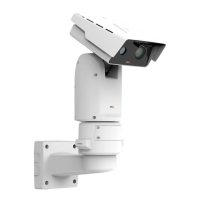
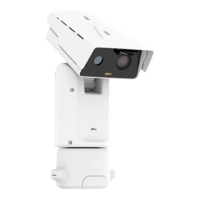
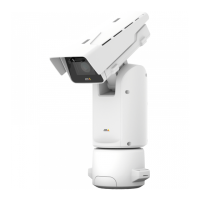
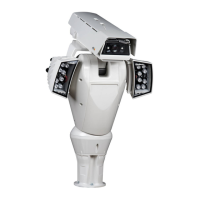
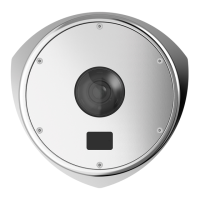
AXISQ8752-EBispectralPTZNetworkCamera
Thewebinterface
•Activatelicenseautomatically:Iftheapprequiresalicense,youneedtoactivateit.Usethisoptionifyourdevicehas
internetaccess.Youneedalicensecodetoactivatethelicense.
•Deactivatethelicense:Deactivatethelicensetoreplaceitwithanotherlicense,forexample,whenyouchangefroma
triallicensetoafulllicense.Ifyoudeactivatethelicense,youalsoremoveitfromthedevice.
•Settings:Conguretheparameters.
•Delete:Deletetheapppermanentlyfromthedevice.Ifyoudon’tdeactivatethelicenserst,itremainsactive.
System
Timeandlocation
Dateandtime
Thetimeformatdependsonthewebbrowser’slanguagesettings.
Note
Werecommendyousynchronizethedevice’sdateandtimewithanNTPserver.
Synchronization:Selectanoptionforthedevice’sdateandtimesynchronization.
•Automaticdateandtime(manualNTSKEservers):SynchronizewiththesecureNTPkeyestablishmentservers
connectedtotheDHCPserver.
-ManualNTSKEservers:EntertheIPaddressofoneortwoNTPservers.WhenyouusetwoNTPservers,
thedevicesynchronizesandadaptsitstimebasedoninputfromboth.
•Automaticdateandtime(NTPserversusingDHCP):SynchronizewiththeNTPserversconnectedtotheDHCPserver.
-FallbackNTPservers:EntertheIPaddressofoneortwofallbackservers.
•Automaticdateandtime(manualNTPservers):SynchronizewithNTPserversofyourchoice.
-ManualNTPservers:EntertheIPaddressofoneortwoNTPservers.WhenyouusetwoNTPservers,the
devicesynchronizesandadaptsitstimebasedoninputfromboth.
•Customdateandtime:Manuallysetthedateandtime.ClickGetfromsystemtofetchthedateandtimesettings
oncefromyourcomputerormobiledevice.
Timezone:Selectwhichtimezonetouse.Timewillautomaticallyadjusttodaylightsavingtimeandstandardtime.
Note
Thesystemusesthedateandtimesettingsinallrecordings,logs,andsystemsettings.
Devicelocation
Enterwherethedeviceislocated.Yourvideomanagementsystemcanusethisinformationtoplacethedeviceonamap.
•Latitude:Positivevaluesarenorthoftheequator.
•Longitude:Positivevaluesareeastoftheprimemeridian.
•Heading:Enterthecompassdirectionthatthedeviceisfacing.0isduenorth.
•Label:Enteradescriptivenameforthedevice.
•Save:Clicktosaveyourdevicelocation.
Network
IPv4
33


 To Next Page