AXISQ8752-EBispectralPTZNetworkCamera
Troubleshooting
Troubleshooting
Resettofactorydefaultsettings
CAUTION
•Riskofinjury.Movingparts.Keepyourbodypartsawayfromtheproductwheninoperation.Disconnectfrompower
supplybeforeinstallingorperformingmaintenanceontheproduct.
•
Riskofinjury.Hotsurface.Donottouchtheproductwheninoperation.Disconnectfrompowersupplyandallowthe
surfacestocoolbeforeperformingmaintenanceontheproduct.
NO NO
NO
TICE TICE
TICE
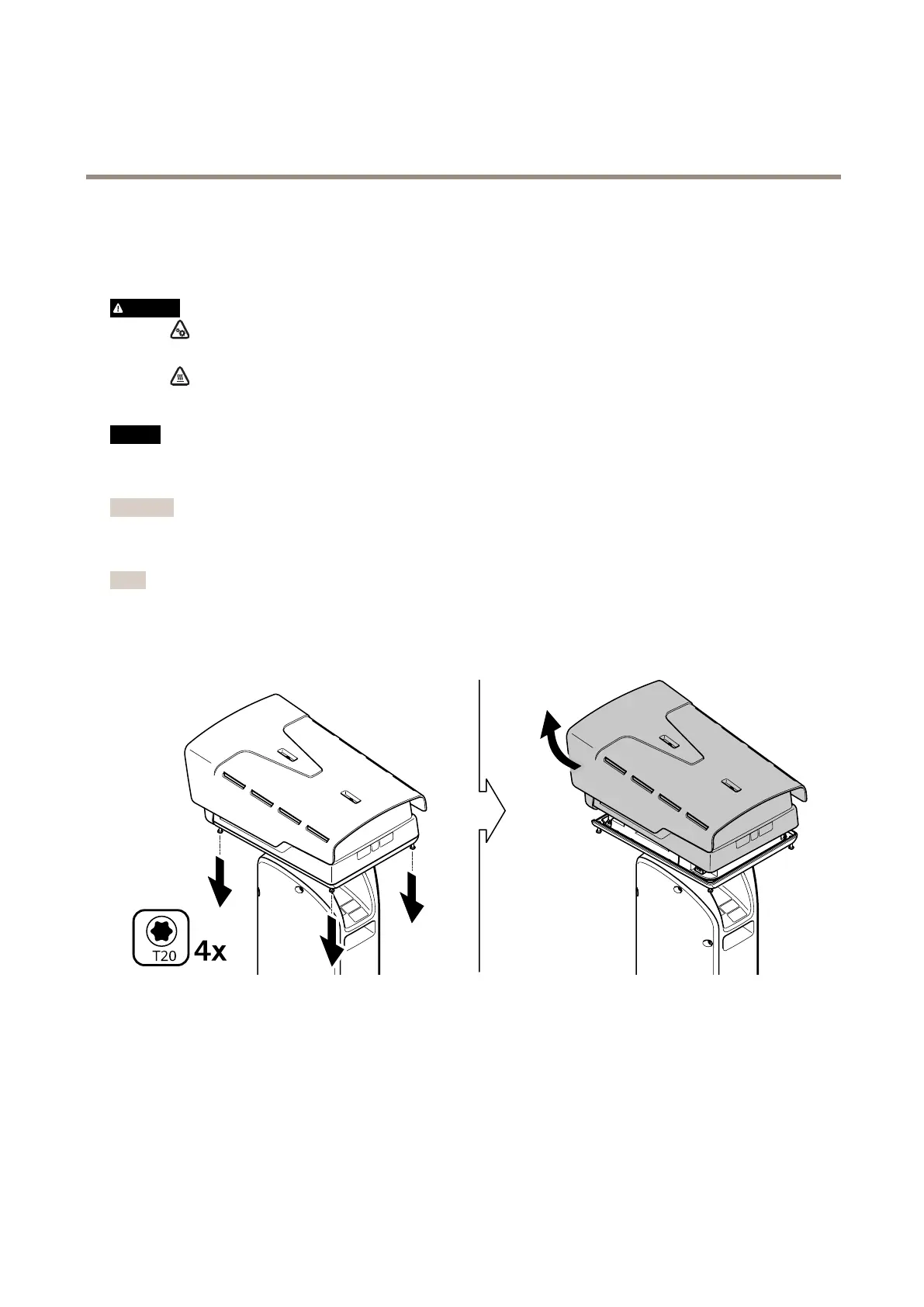
Whenyouremovethetopcoveryouexposepartsofthevisualcamerathataresensitivetoimpact.Makesureyoudon’thit
theunprotectedcamerawiththetopcoverwhenyouremoveit.
Important
Resettofactorydefaultshouldbeusedwithcaution.Aresettofactorydefaultresetsallsettings,includingtheIPaddress,to
thefactorydefaultvalues.
Note
Theinstallationandmanagementsoftwaretoolsareavailablefromthesupportpagesataxis.com/support/downloads
1.Disconnectpowerfromtheproduct.
2.Loosenthefourtopcoverscrewsandremovethetopcover.
3.Pressthecontrolbutton.Tondoutwherethecontrolbuttonisplaced,seeProductoverviewonpage54
4.Putbackthetopcoverandtightenthescrews(torque2.0Nm).
5.Reconnectpowertotheproduct.
Youcanalsoresettofactorydefaultthroughtheproduct’swebpage.GotoSettings>System>MaintenanceandclickDefault.
61



 To Next Page