AXISQ8752-EBispectralPTZNetworkCamera
Specifications
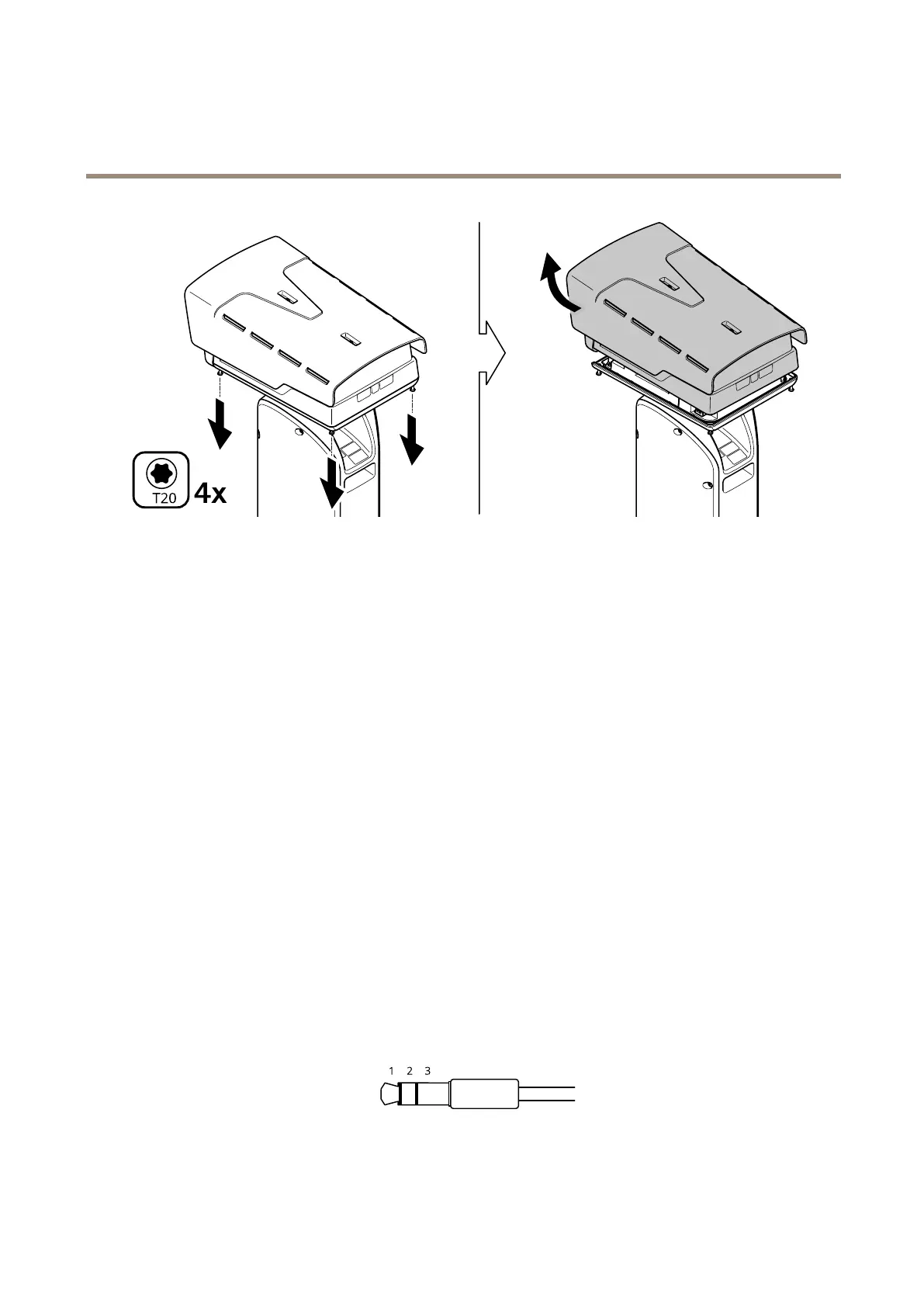
2.Loosenthefourtopcoverscrewsandremovethetopcover.
3.InserttheSDcard.TondoutwheretheSDcardslotisplaced,seeProductoverviewonpage54.
4.Putbackthetopcoverandtightenthescrews(torque2.0Nm).
5.Reconnectpowertothedevice.
Buttons
Controlbutton
Thecontrolbuttonisusedfor:
•Resettingtheproducttofactorydefaultsettings.SeeResettofactorydefaultsettingsonpage61.
Connectors
Networkconnector
RJ45Ethernetconnector.
SFPconnector.
Audioconnector
•Audioin–3.5mminputforamonomicrophone,oraline-inmonosignal(leftchannelisusedfromastereosignal).
•Audioin–3.5mminputforadigitalmicrophone,ananalogmonomicrophone,oraline-inmonosignal(leftchannelis
usedfromastereosignal).
Audioinput
57



 To Next Page