AXISQ9216-SLVNetworkCamera
Thedeviceinterface
Installation
Capturemode:Acapturemodeisapresetcongurationthatdeneshowthecameracapturesimages.Whenyouchangethe
capturemode,itcanaffectmanyothersettings,suchasviewareasandprivacymasks.
Mountingposition:Theorientationoftheimagecanchangedependingonhowthecameraismounted.
Powerlinefrequency:Selectthefrequencythatisusedinyourregiontominimizeimageicker.TheAmericanregions
usuallyuse60Hz.Therestoftheworldmostlyuses50Hz.Ifyou'renotsureofyourregion'spowerlinefrequency,check
withthelocalauthorities.
Rotate:Selectthepreferredimageorientation.
Image
Appearance
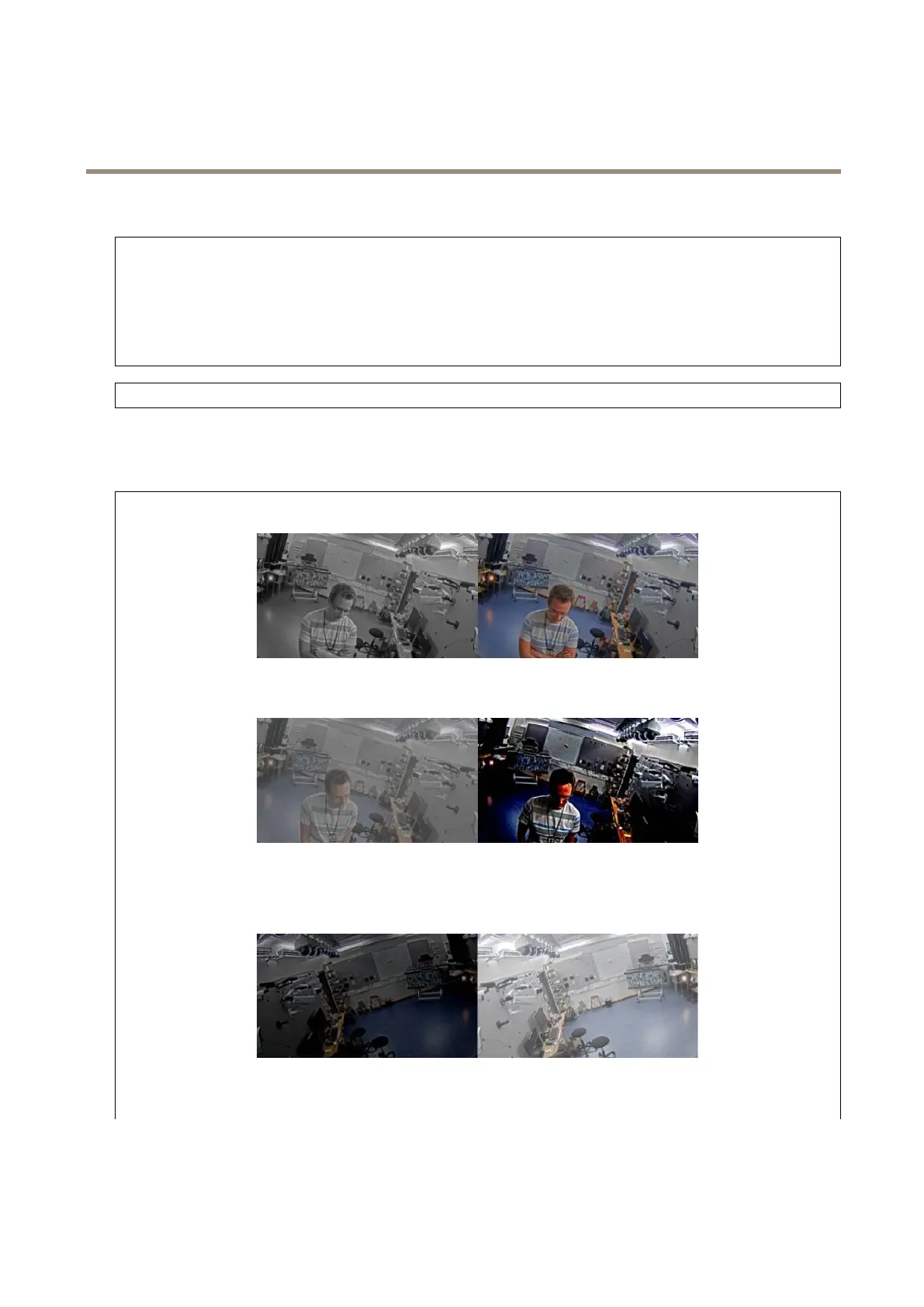
Saturation:Usetheslidertoadjustthecolorintensity.Youcanforexamplegetagrayscaleimage.
Contrast:Usetheslidertoadjustthedifferencebetweenlightanddark.
Brightness:Usetheslidertoadjustthelightintensity.Thiscanmakeobjectseasiertosee.Brightnessisappliedafterimage
capture,anddoesn’taffecttheinformationintheimage.Togetmoredetailsfromadarkarea,it’susuallybettertoincrease
gainorexposuretime.
Sharpness:Usetheslidertomakeobjectsintheimageappearsharperbyadjustingtheedgecontrast.Ifyouincreasethe
sharpness,itmayincreasethebitrateandtheamountofstoragespaceneededaswell.
21


 To Next Page