EasyManua.ls Logo

Axis T8341 - User Manual

Axis T8341
14 pages
Print Icon
To Next Page IconTo Next Page
Loading...
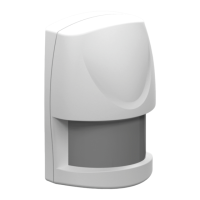
AXIST8341PIRMotionSensor
UserManual

Other manuals for Axis T8341

Questions and Answers

  • D
    David StephensonAug 6, 2025
    What to do if Axis T8341 Accessories cannot carry out inclusion and association?
    • K
      Kevin SimpsonAug 7, 2025
      If your Axis Accessory is failing to include or associate, there are several potential causes. First, the device might still be connected to a previous network; exclude it and try again. Second, double-check that you've entered the correct PIN code. Third, the battery might be dead, so replace it. Fourth, verify the battery polarity is correct. Finally, ensure the detector itself is functioning correctly.
  • M
    Melanie BallAug 10, 2025
    Why is my Axis Accessories detector not functioning properly?
    • A
      Anthony RobertsonAug 10, 2025
      If your Axis Accessories detector isn't working as expected, consider these possibilities: The device might still be connected to a previous network, so exclude it before re-including it. Also, a depleted battery can cause issues, so replace it. The detector may be mounted near a radiator or heater, which can interfere with its operation; reposition it or remove the heat source. Finally, ensure the detector itself is working properly.
  • M
    Michael YoderAug 15, 2025
    What to do if Axis Accessories cannot control the connected modules?
    • A
      Aaron AdamsAug 15, 2025
      If you're having trouble controlling the connected modules of your Axis Accessories, consider these potential reasons: The device may still be connected to a previous network; exclude the device before including it again. Also, check if the battery has run out of power and replace it if needed. Finally, ensure the detector itself is working properly.
  • Y
    yandersonAug 19, 2025
    Why is the Axis Accessories event list not working properly?
    • D
      David Allen DVMAug 19, 2025
      If the event list for your Axis Accessories isn't working correctly, here are a few things to check: Ensure the device isn't still connected to a previous network by excluding it. Verify that the controller has the latest firmware. Also, a dead battery can cause issues, so replace it.
  • Y
    ynguyenAug 23, 2025
    What to do if I cannot perform inclusion and association with my Axis Accessories?
    • G
      George AcostaAug 23, 2025
      If you're having trouble including and associating your Axis accessory, here are a few things to check: * First, ensure the device isn't already connected to a network from a previous inclusion attempt. If it is, exclude the device before trying again. * Double-check that you're entering the correct PIN code. * Also, make sure the battery isn't drained; if it is, replace it. * Finally, verify that the battery is inserted with the correct polarity.
  • R
    Rhonda BoyleAug 27, 2025
    Why can't I perform inclusion and association for my Axis T8341?
    • S
      susan20Aug 28, 2025
      There are several reasons why you might be unable to include and associate your Axis accessory: 1. The device may still be connected to a previous network. The solution is to exclude the device before attempting to include it again. 2. The PIN code entered may be incorrect. Ensure you are using the correct PIN. 3. The battery may be depleted. Replace the battery with a new one. 4. The battery polarity may be reversed. Refit the battery with the correct polarity.
  • L
    Lance WarrenSep 1, 2025
    How to fix inclusion and association problems with Axis T8341 Accessories?
    • L
      Lance MillerSep 1, 2025
      To resolve inclusion and association issues with your Axis accessory, consider the following: * If the device was previously connected to a network, exclude it before attempting a new inclusion. * Verify that you're using the correct PIN code. * Ensure the battery has sufficient power by replacing it if necessary. * Check the battery polarity and correct it if it's reversed.

Axis T8341 Specifications

General IconGeneral
BrandAxis
ModelT8341
CategoryAccessories
LanguageEnglish

Related product manuals