EasyManua.ls Logo

Axis T8342 - User Manual

Axis T8342
12 pages
Print Icon
To Next Page IconTo Next Page
Loading...
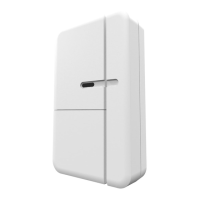
AXIST8342Door/WindowSensor
UserManual

Other manuals for Axis T8342

Questions and Answers

  • B
    Billy ThompsonAug 9, 2025
    Why can't I perform inclusion and association for my Axis accessory?
    • J
      Jared CarterAug 9, 2025
      If you're having trouble with inclusion and association of your Axis accessory, it might be due to a few reasons. First, the device may still be connected to or accidentally included in a previous network; in this case, exclude the device before attempting to include it again. Another possibility is an incorrect PIN code; double-check that you've entered the correct PIN. Also, ensure that the battery isn't depleted and replace it if necessary. Finally, verify the battery polarity and re-fit the battery with the correct polarity.
  • D
    David IrwinAug 13, 2025
    What to do if my Axis detector is not working?
    • K
      Kerri AdamsAug 13, 2025
      If your Axis detector isn't working, there are a few potential causes. One possibility is that the device is still connected to, or was accidentally included in, a previous network. To resolve this, exclude the device before including it again. Another reason could be that the battery has run out of power, so try replacing the battery. Finally, the distance between the device and the receivers may be too great. Try moving the device closer to the receivers.
  • M
    Mike BeckerAug 19, 2025
    How to fix the issue when I cannot control the connected modules of my Axis accessory?
    • P
      petermurrayAug 19, 2025
      If you cannot control the connected modules of your Axis accessory, it could be because the device is still connected to or has accidentally been included in a previous network. Exclude the device before including it again to solve this. Alternatively, the battery might have run out of power, so try replacing the battery.
  • J
    Jeffrey BrewerAug 23, 2025
    What to do if the Axis Accessories detector is not working?
    • A
      Arthur WigginsAug 25, 2025
      If your Axis accessory detector isn't working, it could be due to several reasons. First, the device might still be connected to a previous network; if so, exclude the device before including it again. Second, the battery may have run out of power; in this case, replace the battery. Third, the distance between the Alert Button and the receiver(s) might be too far, so try moving closer to the receivers. Lastly, the detector itself might be malfunctioning, so ensure it is working properly.
  • N
    Nathan ThomasAug 28, 2025
    Why I cannot carry out inclusion and association of my Axis Accessories?
    • P
      pedro07Aug 28, 2025
      If you cannot carry out inclusion and association of your Axis accessory, it might be because the device is still connected to a previous network. To resolve this, exclude the device before including it again. Another reason could be that the entered PIN code is incorrect, so make sure you have entered the correct PIN code. Also, check if the battery has run out of power and replace it if necessary. Ensure that the battery polarity is correct. Finally, verify that the detector is working properly.
  • P
    Patricia CarrollSep 2, 2025
    What to do if I cannot control the connected modules of my Axis Accessories?
    • J
      Jimmy WilliamsSep 2, 2025
      If you cannot control the connected modules of your Axis accessory, it could be due to a few reasons. Firstly, the device may still be connected to a previous network; exclude the device before including it again. Secondly, the battery may have run out of power; if so, replace the battery. Finally, the detector might be malfunctioning; ensure that it is working properly.

Summary

Solution overview

Solution overview

Overview of the device's Z-Wave compatibility and network integration capabilities.

How to add a device to a Z-Wave Network

Auto inclusion

Automatic inclusion process when the device is first powered up.

Manual inclusion

Step-by-step guide for manually adding the Z-Wave device to a network.

Manual exclusion

Procedure for removing the device from the Z-Wave network.

How to test the Z-Wave device

Operational guidelines

Guidance on device operation, battery usage, and LED indicators.

How to program the Z-Wave device

Z-Wave Association Groups

Details Z-Wave association groups for controller or end device communication.

Programming Commands and Information

Covers Group 1/2 commands, Z-Wave Plus info, version, and manufacturer data.

Wake up command class

Configures the device's wake-up notification interval for communication.

Troubleshooting

Troubleshooting

Explains Z-Wave controller status, LED indications, and common issues with solutions.

Specifications

Specifications

Details battery type, battery life, range, and frequency range of the device.

Axis T8342 Specifications

General IconGeneral
Power over EthernetNo
MaterialPlastic
ColorWhite
CompatibilityAxis network audio devices
Connectors3.5 mm jack

Related product manuals