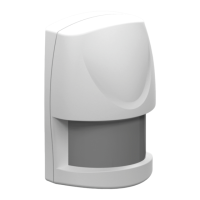
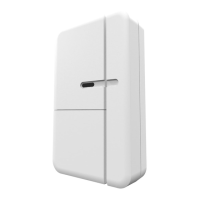
AXIST8342Door/WindowSensor
HowtoaddadevicetoaZ-WaveNetwork
HowtoaddadevicetoaZ-WaveNetwork
Autoinclusion
ThedetectorsupportstheautoinclusionfeaturewhereitwillautomaticallyenterInclusionmodewhenrstpoweredup.
1.PutaZ-Wavecontrollerintoinclusionmode.
2.Removethestripofbatteryprotectionlmstickingoutfromthebatterycoveronthefrontofthecasing.TheLEDon
thedeviceshouldturnON.
3.EnterPINnumberintotheZ-Wavecontroller.ThePINnumbercanbefoundonthedevice.Seewhereintheinstallation
guide.
4.TheinclusionprocessshouldbecompletedwhentheLEDstopsblinking.
5.Performtestbeforeyouretthebatterycover.SeeHowtotesttheZ-WaveDevice.
Manualinclusion
YoucanalsochoosetomanuallyaddtheZ-Wavedevicetoacontroldevice.Pleasefollowthestepsdescribedbelow.
Note
Forbestresults,excludethedevicebeforestartingtheinclusionprocess.Formoredetailsseetheinstallationguide.
1.Removethebatterycover.
2.Pressthetamperswitch3timeswithin1.5secondstoputtheunitintolearning(inclusion/exclusion)mode.
3.EnterPINnumberintotheZ-Wavecontroller.ThePINnumbercanbefoundonthedevice.Seewhereintheinstallation
guide.
4.TheinclusionprocessshouldbecompletedwhentheLEDstopsblinking
5.Performtestbeforeyouretthebatterycover.SeeHowtotesttheZ-WaveDevice.
Manualexclusion
1.Removethebatterycover.
2.Pressthetamperswitch3timeswithin1.5secondstoputtheunitintolearning(inclusion/exclusion)mode.
3.TheexclusionprocessshouldbecompletedwhentheLEDstopsblinking
4.Retthebatterycover.
5


 To Next Page