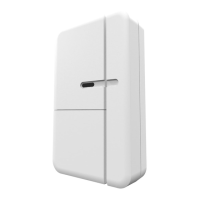
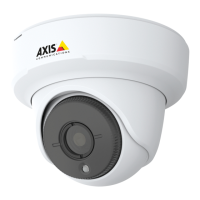
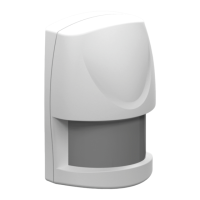
AXIST8341PIRMotionSensor
HowtoaddadevicetoaZ-WaveNetwork
HowtoaddadevicetoaZ-WaveNetwork
Auto-inclusion
Themotionsensorsupportstheauto-inclusionfeature,whereitwillautomaticallyenterInclusionmodewhenrstpoweredup.
Thiswillalsoapplywhenpoweredupafterafactoryreset.
1.Useascrewdrivertodetachthebatterycover.
2.PuttheAXISM5065camera(orotherZ-Wavecontroller)intoinclusionmode.
3.Insert1CR1233Vbatteriesintothebatterycompartment,observingthecorrectpolarity.TheLEDonthedeviceshould
turnON.
4.EnterthePINnumberintotheZ-Wavecontroller.SeetheinstallationguideforwheretondthePINnumberonthedevice.
5.TheinclusionprocessshouldbecompletewhentheLEDstopsblinking.
6.Performatestbeforeyouretthebatterycover.SeeHowtotesttheZ-WaveDevice.
Manualinclusion
YoucanalsochoosetomanuallyaddtheZ-Wavedevicetoacontroldevice.Followthestepsbelow.
Note
Forbestresults,excludethedevicebeforestartingtheinclusionprocess.Formoredetailsseetheinstallationguide.
1.Useascrewdrivertodetachthebatterycover.
2.PuttheAXISM5065camera(orotherZ-Wavecontroller)intoinclusionmode.
3.Insert1CR1233Vbatteriesintothebatterycompartment,observingthecorrectpolarity.TheLEDonthedeviceshould
turnON.
4.Pressthetamperswitch3timeswithin1.5secondstoputtheunitintolearning(inclusion/exclusion)mode.
5.EnterthePINnumberintotheZ-Wavecontroller.SeetheinstallationguideforwheretondthePINnumberonthedevice.
6.TheinclusionprocessshouldbecompletewhentheLEDstopsblinking.
7.Performatestbeforeyouretthebatterycover.SeeHowtotesttheZ-WaveDevice.
Manualexclusion
1.Useascrewdrivertodetachthebatterycover.
2.Pressthetamperswitch3timeswithin1.5secondstoputtheunitintolearning(inclusion/exclusion)mode.
3.TheexclusionprocessshouldbecompletewhentheLEDstopsblinking.
4.Retthebatterycover.
5


 To Next Page