Axisbodywornsolution
Configureyoursystem
CamerasettingsSub-setting
Description
Chooseifyouwanttostarttherecording
usingaSingleclickoraDoubleclickof
thefrontbutton.
Recordingactivation
FalldetectionTurnontostartarecordingwhenthe
cameradetectsafall.
Frontrecordingindicator
—
Chooseifyouwantthefrontrecording
indicatortobe
•On
•Off
•Flashing
duringrecording.
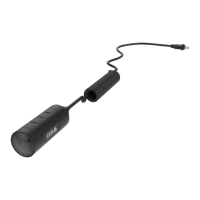
WhenAXISTW1201MiniCubeSensor
isconnected,thisbehaviorisappliedto
theminicubesensor’sfrontrecording
indicator.
Notication
—
Choosecamerafeedbackforstartingand
stoppingrecordings:
•Beepandvibration
•Beeponly
•Vibrationonly
Periodicrecordingreminder
—
Thecameravibratesperiodically
whilerecordingasareminderandas
reassurance.Selectapreferredinterval
fortheperiodicreminder,orturnitoff.
Allowsilentmode
—
Allowsthecamerausertoturnthe
display,frontrecordingindicator,beep,
andvibrationonoroff.
Allowaudiorecordingoff
—
Allowsthecamerausertoturnoffthe
microphonewhilerecording.
AXISTW1201MiniCubeSensor
Description
Disablemaincamerafrontbutton
Disablesthemainbodyworncamera'sfrontbutton(used
tostartandstoprecordings)whentheminicubesensoris
connected.Selectthisoptionifyouwanttousetherecording
buttonontheminicubesensoronly.
AXISBodyWornAssistantsettings
Description
Allowaccesstorecordings
Choosewhetherthecamerauserisallowedtoviewrecordings
inAXISBodyWornAssistant,ornot.
Recordingsettings
Sub-setting
Description
Resolution
—
Choosebetween1080pand720pimage
resolution.
Textoverlay
—
Selectthedatatoincludeinthetext
overlay.UserIDisenteredwhenyou
createauser.Locationdatashowsthe
startpositionforarecording.
10


 To Next Page