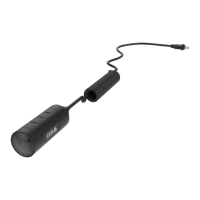
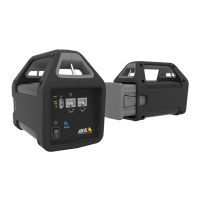
Axisbodywornsolution
Configureyoursystem
5.Openthecontextmenunexttothecerticate.
6.ClickActivate.
Note
Theinstalledcerticategetsitsnamefromtheuploaded.crtle,minusthesufx.Thisnamemustbeunique.
Automaticrecordingactivation
Incombinationwithpre-buffer,automaticrecordingactivationensuresthatthewholeincidentiscapturedwithouttheneedforthe
camerausertomanuallystartarecording.Recordingcanbestartedautomaticallyusing:
•Falldetectiononpage16
•Unholsterdetectiononpage16
Falldetection
Falldetectiontriggersvideorecordingautomaticallywhenthepersonwearingthecamerafalls.Incombinationwithpre-buffer,
thisfeatureensuresthatthewholeincidentiscapturedwithoutmanualactivation.
Toturnonfalldetection:
1.GotoCameraproles.
2.Openthecameraprolethatyouwanttoedit.
3.TurnonFalldetection.
Unholsterdetection
Aholstersensordetectsunholsteringtoautomaticallytriggervideorecording.Incombinationwithpre-buffer,thisfeatureensures
thatthewholeincidentiscapturedwithoutmanualactivation.ThisfeaturerequirespairingtheuserwithaYardarmholstersensor.
Towatchthisvideo,gotothewebversionofthisdocument.
www.axis.com/products/online-manual/58704#t10163346
Setupaholstersensorforyourbodyworncamera
Toenableunholsterdetection:
1.Makesuretheholstersensorisdisconnectedfromitspowersupply.
2.GotoUsersandselecttheuserthatyouwanttopairtheholstersensorwith.
3.Clicktopairnewequipment.
4.ClickPair(Holstersensor).
16


 To Next Page