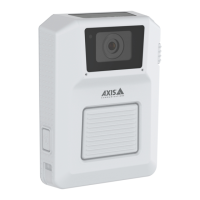
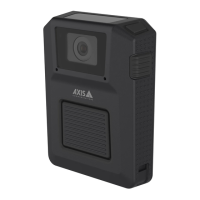
Axisbodywornsolution
Camerauserguide
NO NO
NO
TICE TICE
TICE
•AlwaysremovethecamerafromthebodywornsystemthroughAXISBodyWornManagerbeforestoringit.Whenyou
removethecamerafromthesystem,thecameraentersshippingmode,whichensuresahealthybatterylevel.
•Alwaysstorethecameraattherecommendedstoragetemperature.Ifyouarestoringthecameraforlessthan3months,
therecommendedstoragetemperaturerangeis-20°C(-4°F)to45°C(1 13°F).Ifyouarestoringthecameraformorethan3
months,therecommendedstoragetemperatureis25°C(77°F).Storingthecameraoutsideofthespeciedtemperature
damagesthebattery.
•Donotstorethecamerawiththebatteryfullycharged.Doingsoshortenstheexpectedbatterylife.
•Donotstorethecamerawithadepletedbattery.Doingsoshortenstheexpectedbatterylife.
•Ifyouarestoringthecameraformorethan3months,chargethecameraevery3months.
•Donotstorethecameraindampenvironments.Thismayincreasebatterydischargerates.
•Usethecameraatleastonceayearsothatthebatteryisdischargedandchargedagain.Thishelpstoactivatethebattery
andrestoreitsenergy.
Cleaning
Tocleanthebodyworncamera:
•Useanon-abrasive,solvent-freeneutralsoap,ordetergent,withwater.
•Useasoftmicrobercloth,ormoistnon-abrasivesponge.
•Drywithasoftclothtopreventwaterspotting.
NO NO
NO
TICE TICE
TICE
•Neveruseharshdetergents,suchasgasoline,benzeneoracetone,toavoidmaterialdegradation.
•Neveruseabrasivesofanykindtocleanthecamera.
Todisinfectthecamera:
•Usedisinfectionproductswithupto50percentisopropylalcoholontheexteriorsurfacesofthecamera.
•Applywithasoftmicrobercloth,ornon-abrasivesponge.
Chargingthecamera
Tochargethebodyworncamera,alwaysuseoneofthefollowingoptions:
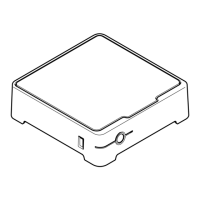
•AXISW700DockingStation1-bay
•AXISW701DockingStation8-bay
•5VDCoutputmobilephonecharger,orpowerbank,withaUSBconnector.
Operatingtime
Operatingtimevariesdependingonhowyouusethebodyworncamera.Thelimitingfactorsofoperatingtimearebatterycapacity,
andstoragespace.Theseareaffectedbypowerconsumption,andrecordingbitrate,respectively.
Factorsthatincreasepowerconsumptionare:
Outdooruse-Whenyouusethecameraoutdoors,theLEDdisplayincreasesitsintensity,whichincreasespowerconsumption.
Locationdata-Whenthecamerapositioningsystemison.
Temperature-+25°C(77°F)istheoptimaloperatingtemperature.Usingthecameraintemperaturesaboveorbelowthisincreases
powerconsumption.
36



 To Next Page