20
WHITE
AXMINSTER
W
Setting Up the Saw...
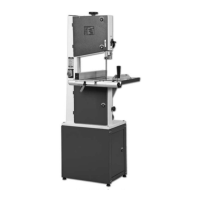
Tensioning and tracking the blade
Make sure both top and bottom blade guides are well clear of the blade.
Open the front covers fully, giving good access to the top compartment of the saw
(see fig 4) and good visibility into the bottom compartment (see fig 5). Check that the blade
is sitting approximately in the middle of the wheels. Apply some tension to the blade by
turning the tensioning wheel clockwise, spin the top wheel and check that the blade
remains centrally on the tyre, if it does not, adjust the tracking by turning the tracking
control at the rear of the head box (see fig 4). (Viewed directly onto the tracking control
wheel, turning clockwise should cause the blade to track to the rear of the tyre,
anti-clockwise to the front, DO NOT make large adjustments). Spin the top wheel again,
check again. Continue until the blade tracks in the centre of the tyres with no appreciable to
and fro movement. Tension the blade fully. (A side ways push of about 7-8 lbs(3+kgs) in the
middle of the blade should allow a
1
/
4
”,(6.5mm) distension). Check the tracking again,
adjust if necessary. Check that the drive belt is tensioned correctly, if it is slack, apply ‘take
up’ pressure to the belt by adjusting the ‘idler’ pulley, using the knob at the side of the
machine.(See fig 5). Connect the power to the machine. Stand clear and start the saw,
check that the saw is running smoothly, (no thumps, bumps, knockings or excessive
vibration) and the blade appears to be tracking correctly (in one place). You can check this
by holding a marker, e.g. a pencil, close to the back of the blade (approach from the back
of the blade only) and check that the gap remains constant. If it doesn’t, adjust the tracking
until it does. (If you adjust the tracking with the saw running, make very small adjustments
and wait for the saw to react before you adjust again, sometimes the reaction is not
instantaneous). Once you are satisfied that the tracking is correct switch the machine off
and allow it to run to a stop.
!
DISCONNECT THE MACHINE FROM THE MAINS SUPPLY
!
DISCONNECT THE MACHINE FROM THE MAINS SUPPLY
Checking the table is square
Loosen the butterfly nut clamping the tilt mechanism, and turn the table hard against its
stop. (This is a bolt with a lock nut screwed into the underside of the table, (see fig 6), the
head of the bolt acts as a stop when it strikes the machine frame). Tighten the butterfly nut.
Make sure the upper blade guide is raised as high as possible. Place a square on the table
and move it up against the blade (behind the teeth). Check that the blade is perpendicular
to the table. If it is not, try resetting the table. If it is still not correct, loosen the locking nut
and adjust the bolt until perpendicularity is achieved, tighten the lock nut and then re-check.
When you are satisfied that the table is set correctly, check that the pointer of the tilt gauge
reads zero, if not, adjust it.
Setting the fence
To make sure the fence is at 90°, line up the guide fence with the edge of the table slot ‘T’
(See fig 14). If you find the fence is out of alignment follow the steps on the opposite page.



 To Next Page