Axon Fleet 3 Camera System User Manual
Axon Enterprise, Inc. Page 7 of 19
set screw vacant. To prevent panning of the camera, move one of the two roll set screws to
the pan set position.
Power cable – Provides power from Fleet Hub.
Primary Evidence Capture Lens – Lens for recording evidence.
ALPR Lens – Lens for Automated License Plate Reader (ALPR) processing.
Operation indicator – Indicates Dual-View Camera recording status.
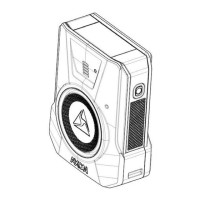
Axon Fleet 3 Dual-View Camera back
Primary Button – Used to start and stop recording for Dual-View Camera.
Secondary Button – Used to start and stop recording for Interior Camera.
Primary LED – Indicates the Dual-View Camera’s current operating status.
Secondary LED – Indicates the Interior Camera’s current operating status.
Primary LED – Dual-View Camera Status
3 Microphones and 1 Speaker
(on bottom of camera)


 To Next Page
 Loading...

