Axon Fleet 3 Camera System User Manual
Axon Enterprise, Inc. Page 9 of 19
Microphones – For recording in-cabin audio. Located on the back of the Interior Camera.
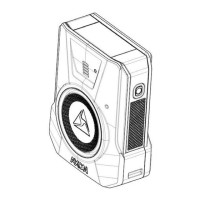
Axon HUB Hardware
The following image shows the HUB, Model AX1033.
Restart Button – When needed as part of a troubleshooting procedure, use a paperclip to
depress and hold the restart button for 5 seconds to restart the Hub and cameras.
LED – Indicates the Hub’s current operating status.
The following image shows the 5-1 antenna from Airgain.


 To Next Page
 Loading...

