Axon Fleet 3 Camera System User Manual
Axon Enterprise, Inc. Page 8 of 19
Primary LED – Dual-View Camera Status
Live Streaming while buffering
Live Streaming while recording
Secondary LED – Interior Camera Status
Axon Fleet Interior Camera Hardware
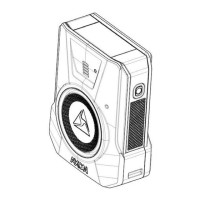
The following images show the different components on the Axon Fleet 3 Interior Camera,
Model AX1032.
Axon Fleet 3 Interior Camera and mount
Lens – The camera lens.
Camera mount – Attaches camera to the vehicle.
Ambient light sensor – Engages infra-red (IR) illumination at low ambient light.
IR illumination window – Infra-red (IR) illumination source.
Camera cable – Connects the camera to the camera controller.
Angle adjustment screws – Allows tilting the camera and then fixing camera in place.


 To Next Page
 Loading...

