MICROSPEED
10
REV 04/05
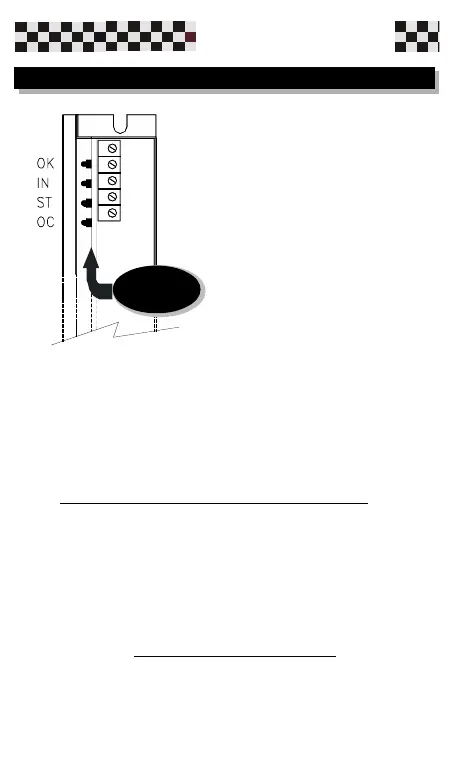
-L2 (RED) IN Normally OFF,it is lit when it exceeds
the programmed value.
(Reversible alarm)
-L3 (RED) ST Normally OFF,it represents
overheating of the heatsink drive. This fault provokes
the activation and memorization of the alarm. To reset
it is necessary that you turn off the power supply, wait
until the heatsink temperature is lower, and then re-
start the power supply.
-L4 (RED) OC Normally OFF. May come
ON,because of a short circuit between motor terminals
or come to ground.It cant be reset and the fault
provokes the memorization of the alarm.
Switch off the system,eliminate the cause and then re-
start the power supply.
Four LEDs are available on the
drive and they signify the following:
-L1 (GREEN) OK Normally
ON, signifying proper operation of
the drive.
When the LED is OFF, it indicates
that at least one of the drive
protection functions is active.
3.1 LED indicators
Leds


 To Next Page