EasyManua.ls Logo

Axvue A1080DU - User Manual

Axvue A1080DU
2 pages
Print Icon
To Next Page IconTo Next Page
Loading...
Get to know us at: www.axvue.com
INSTRUCTION MANUAL
Model- A1080DU
Revised at 12/2020
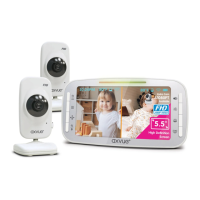
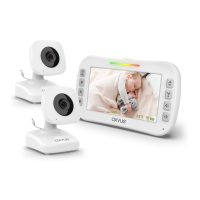
AXVUE A1080DU VIDEO BABY MONITOR
WITH 5.5" LCD SCREEN & 2 CAMERAS
Adapters:
FEATURES & COMPONENTS
Camera:
1. LED*
2. Power/Video
3. Menu
4. Pan/Tilt
5. Zoom/Talk Back (OK)
6. Volume
7. Brightness
8. Cam/Split
9. VOX
10. Microphone
11. Speaker
12. DC Jack
13. Baery Compartment
14. Kickstand
× 3× 1 × 2
Monitor:
Power & Low Baery Sound Lights
*LED
Red LED stop flashingRed LED flashs
Step 5:
OK
8
Please read the following instrucons and warnings carefully
Keep this instrucon manual for the future.
For technical support see the FAQ page.
For adult use only.
1. Night-Vision LED
2. Lens
3. Microphone
4. Speaker
5. Power/Code
6. DC Jack
7. Temperature Sensor
8. Wall Mounng Hole
Keep the distance
between sensor and body
at least 0.6 inch for
accurate temperature
result.
0.6 in
Step 1: Place the monitor display in the living room, bedroom or any place you want to watch your
baby. Use an adapter to connect the camera with an electrical outlet.
Step 2: Turn on the monitor by pressing the
Power/Video
“ ” buon for 5 seconds unl axvue logo or
video shows up on the screen.
Step 3: Press
Power/Video
“ ” buon to turn off the video if you only need to hear the voice.
Step 4: Turn off the monitor completely by pressing and holding the
Power/Video
“ ” buon for
5 seconds.
Step 4:
SETUP & USE
Step 2:
Step 3:
Make sure the power adapter is plugged into
camera and turn on the camera by pressing Power
On/Off Switch “ ” buon for 3 seconds.
3 feet
Figure 1
3 feet
Figure 2
TO USE PORTABLE/BATTERY MODE
Step 1: Charge the baery for at least 8 hours before using portable/baery mode.
Step 2: Make sure the adapter is plugged into the camera.
Step 3: The baery life can be up to 10 hours if it is fully charged.
Baery life will be shortened if recharging it connuously. Unplug the power adapter when you are
not using it for a long me.
Please charge the baery for 6
~
8 hours before using the product.
TO USE PLUGGED-IN MODE
The monitor and camera are paired before shipment. If it is unpaired for some reason, please refer
to the following steps:
TO PAIR MONITOR AND CAMERA (ADD CAMERA)
Step 1: Make sure the camera and monitor are in the same place.
Please charge the battery for at least 8 hours before
using the product.
Step 1: Test recepon first, put the camera in a suitable place that
will provide you the best view of your baby in the crib (Note: Do
not hang up the camera firmly unl the inial installaon test is
completed). Plug the adapter into the wall outlet and turn on the
camera.
Step 2: Turn on the monitor by pressing and holding the Power/
Video
“ ”
buon for 5 seconds unl “axvue” shows up, then the
video will show up on the screen immediately. If the video does
not show up, please refer to “TO PAIR MONITOR AND CAMERA
(ADD CAMERA)” on the next page. If the video shows up, the
inial installaon test is completed, then you can set up the
camera according to the instrucon below.
Set Up Camera: Place the camera on a flat surface, such as a
wardrobe or shelf (Figure 1). Or hang it on the wall (Figure 2). No
maer wherever to place the camera, please make sure to keep it
away from the crib for at least 3 feet and all power cords should be
placed behind the camera properly. Then adjust the angle of the
camera lens unl the enre crib shows up on the display, or adjust
it to the best angle that you think to watch your baby.
Turn on the monitor by pressing
and holding Power/Video
“ ”
buon for 5 seconds.
42
1
6
OK
5
OK
3
OK
7
-Store this product out of the reach of babies (at least 3 feets (0.9 m)
away from the crib). A strap wound around the babys neck may result in
asphyxiaon. Use a safety clip to clamp the power cord and keep it out
of baby’s reach. Do not use other extension cords. Only use the power
adapter provided.
-Do not touch the exposed part if the adapter is connected with power.
-Test regularly before inial use or when change the posion of camera.
-Avoid placing the product in humid place or contacng with liquid. (such as bathtub, sink, etc.)
-Do not apply heat to the product.(such as stoves, radiators, etc.)
-Using the product in venlated place. Avoid placing it on sofas, cushions, beds or other places which
may block venlaon.
-The product only can be operated by adult. Do not allow baby to play with it. Tiny accessories are
contained, please be careful when unpack and install it.
THIS PRODUCT CAN NOT SUBSTITUE PARENT’S SUPERVISION
ON YOUR CHILD.
WARNING
-Only use the recommended rechargeable baery. Please contact us if you need to change it.
For the contact list, please refer to the last page of the instrucon.
-Please clean the baery compartment before using it.
-Avoid short circuits the power supply terminal.
-Remove the baery when you are not using it or when running out of power.
-Keep the baery away from children.
-Dispose of the empty baery properly.
BATTERY WARNING
Question and Answer IconNeed help?

Do you have a question about the Axvue A1080DU and is the answer not in the manual?

Overview

The AXVUE A1080DU Video Baby Monitor is a comprehensive monitoring system designed to provide parents with peace of mind. It features a 5.5" LCD screen for clear viewing and comes with two cameras, allowing for multi-room surveillance. The system is equipped with various advanced features to enhance monitoring capabilities and user convenience.

Function Description

The primary function of the AXVUE A1080DU is to allow parents to monitor their baby remotely. The system transmits video and audio from the cameras to the parent unit, which features a 5.5" LCD screen. It supports two-way communication, enabling parents to talk to their baby through the monitor. The device also includes motion tracking, VOX (Voice Operated eXchange) mode, and night vision for continuous monitoring in various conditions.

Important Technical Specifications

Camera:

  • LED: 7 Infrared LEDs for night vision.
  • Microphone: Built-in for audio monitoring.
  • Speaker: Built-in for two-way communication.
  • Temperature Sensor: Monitors room temperature.
  • Wall Mounting Hole: Allows for wall installation.
  • Power/Code Button: For power on/off and pairing.
  • Power/Code LED: Indicates power status and pairing.
  • Sound Light: Visual indication of sound levels.

Monitor:

  • LCD: 5.5" color LCD screen.
  • Buttons:
    • Power/Video: Turns the monitor on/off and controls video display.
    • Menu: Accesses the monitor's settings.
    • Zoom/Talk Back (OK): Zooms in/out and activates two-way talk.
    • Brightness: Adjusts screen brightness.
    • VOX: Activates VOX mode.
    • Microphone: Built-in for audio input.
    • Speaker: Built-in for audio output.
    • Battery Compartment: Houses the rechargeable battery.
    • Kickstand: Supports the monitor for tabletop use.
    • LED: Power/Video LED.
    • Sound Light: Visual indication of sound levels.
    • Navigation Buttons (Up, Down, Left, Right): For menu navigation and camera selection.
    • OK Button: Confirms selections.
    • Zoom/Talk Back Button: Zooms in/out and activates two-way talk.
    • VOX Button: Activates VOX mode.
    • Pan/Tilt/Zoom (PTZ) Controls: For remote camera adjustment.
    • Volume Controls: Adjusts speaker volume.
    • Brightness Controls: Adjusts screen brightness.
    • Night Vision: Automatic infrared night vision.
    • Temperature Display: Shows room temperature.
    • Battery Indicator: Displays battery level.
    • Signal Strength Indicator: Shows wireless signal strength.
    • Camera Selection Indicator: Shows which camera is active.
    • Motion Tracking Indicator: Indicates if motion tracking is active.
    • VOX Indicator: Indicates if VOX mode is active.
    • Two-Way Talk Indicator: Indicates if two-way talk is active.
    • Alarm Indicator: Indicates if an alarm is active.
    • Time Display: Shows current time.

Power:

  • Battery: Rechargeable battery for the monitor.
  • Power Adapter: For charging the monitor and powering the cameras.

Wireless Communication:

  • Frequency: 2.4 GHz.
  • Range: Up to 1000 feet in open space.

Usage Features

Initial Setup:

  • Charging: Charge the monitor for at least 8 hours before first use.
  • Camera Placement: Place the camera on a flat surface or mount it on the wall, ensuring a clear view of the baby. Keep the camera at least 3 feet away from the crib.
  • Pairing: The cameras are pre-paired. If re-pairing is needed, press and hold the "Power/Code" button on the camera and then press the "OK" button on the monitor within 5 seconds.

Basic Operations:

  • Power On/Off: Press and hold the "Power/Video" button on the monitor to turn it on or off.
  • Video On/Off: Press the "Power/Video" button to turn the video on or off while the monitor is on.
  • Volume Adjustment: Use the volume buttons to adjust the speaker volume.
  • Brightness Adjustment: Use the brightness buttons to adjust the screen brightness.
  • Two-Way Talk: Press and hold the "Zoom/Talk Back" button to talk to your baby.
  • Zoom: Press the "Zoom/Talk Back" button to zoom in or out.
  • Camera Selection: Use the navigation buttons to switch between cameras.
  • VOX Mode: Press the "VOX" button to activate VOX mode. The monitor will turn on automatically when sound is detected.
  • Motion Tracking: The camera can automatically track movement.
  • Night Vision: The camera automatically switches to night vision in low-light conditions.
  • Temperature Monitoring: The monitor displays the room temperature detected by the camera.
  • Alarm: Set alarms for feeding or other events.

Advanced Features:

  • 6X Magnifying Canvas Movement Function: Allows for detailed viewing and panning/tilting of the zoomed image.
  • Adjust Temperature Unit: Switch between Celsius and Fahrenheit for temperature display.
  • Adjust Time: Set the current time on the monitor.
  • Delete a Camera: Remove a paired camera from the system.
  • View One Camera with Full Screen / Select Camera: View a single camera in full-screen mode and select which camera to view.
  • View Two Cameras with Split Screen: View two cameras simultaneously in split-screen mode.
  • Motion Tracking Function: The camera can automatically pan and tilt to follow movement.
  • Set Up VOX - Video on Crying: Configure VOX mode to activate video when crying is detected.

Safety Warnings:

  • Adult Supervision: This product is not a toy and does not substitute for responsible adult supervision.
  • Cord Strangulation Hazard: Keep cords out of reach of children.
  • Choking Hazard: Small parts can be a choking hazard.
  • Overheating: Do not place the product in enclosed spaces or near heat sources.
  • Water Exposure: Do not expose the product to water or moisture.
  • Battery Safety: Use only the recommended rechargeable battery. Do not dispose of batteries in fire.

Maintenance Features

Cleaning:

  • Clean the product with a dry, soft cloth. Do not use cleaning agents or solvents.

Battery Care:

  • Charge the battery fully before first use.
  • Recharge the battery when the low battery indicator appears.
  • Do not leave the battery completely discharged for long periods.

Troubleshooting:

  • No Power: Check power connections and battery charge.
  • No Video/Audio: Check signal strength, camera placement, and pairing.
  • Interference: Move the monitor away from other electronic devices.
  • Poor Picture Quality: Adjust brightness or reposition the camera.
  • VOX Not Working: Adjust VOX sensitivity.

FCC Information:

  • The device complies with Part 15 of FCC Rules.
  • Changes or modifications not expressly approved by AXVUE may void the user's authority to operate the equipment.
  • The device has been tested and found to comply with the limits for a Class B digital device.
  • The device generates, uses, and can radiate radio frequency energy and, if not installed and used in accordance with the instructions, may cause harmful interference to radio communications.
  • If this equipment does cause harmful interference to radio or television reception, the user is encouraged to try to correct the interference by one or more of the following measures:
    • Reorient or relocate the receiving antenna.
    • Increase the separation between the equipment and receiver.
    • Connect the equipment into an outlet on a circuit different from that to which the receiver is connected.
    • Consult the dealer or an experienced radio/TV technician for help.
  • The device complies with FCC RF exposure compliance requirement, a minimum of 20 cm separation distance between the antenna and all persons.
  • The device must not be co-located or operating in conjunction with any other antenna or transmitter.

Important Safety Instructions:

  • Read and follow all instructions.
  • Keep instructions for future reference.
  • Heed all warnings.
  • Do not use this apparatus near water.
  • Clean only with dry cloth.
  • Do not block any ventilation openings. Install in accordance with the manufacturer's instructions.
  • Do not install near any heat sources such as radiators, heat registers, stoves, or other apparatus (including amplifiers) that produce heat.
  • Do not defeat the safety purpose of the polarized or grounding-type plug. A polarized plug has two blades with one wider than the other. A grounding type plug has two blades and a third grounding prong. The wide blade or the third prong are provided for your safety. If the provided plug does not fit into your outlet, consult an electrician for replacement of the obsolete outlet.
  • Protect the power cord from being walked on or pinched particularly at plugs, convenience receptacles, and the point where they exit from the apparatus.
  • Only use attachments/accessories specified by the manufacturer.
  • Use only with the cart, stand, tripod, bracket, or table specified by the manufacturer, or sold with the apparatus. When a cart is used, use caution when moving the cart/apparatus combination to avoid injury from tip-over.
  • Unplug this apparatus during lightning storms or when unused for long periods of time.
  • Refer all servicing to qualified service personnel. Servicing is required when the apparatus has been damaged in any way, such as power-supply cord or plug is damaged, liquid has been spilled or objects have fallen into the apparatus, the apparatus has been exposed to rain or moisture, does not operate normally, or has been dropped.
  • To reduce the risk of fire or electric shock, do not expose this apparatus to rain or moisture.
  • The apparatus shall not be exposed to dripping or splashing and that no objects filled with liquids, such as vases, shall be placed on apparatus.
  • The mains plug is used as the disconnect device. The disconnect device shall remain readily operable.
  • Do not install the product in a place that will cause it to be exposed to direct sunlight or heat sources.
  • Do not install the product in an extreme cold place. Otherwise, it will cause serious personal injury and product damage when dropped.
  • Do not install the product in a place that will cause it to be exposed to extreme humidity.
  • Do not install the product in a place that will cause it to be exposed to extreme dust.
  • Do not place the product on a bed, sofa, rug, or other similar places, it will block or cover the slots and holes on the product. Do not place the product in an enclosed space, such as a bookcase or cabinet, unless proper ventilation is provided.
  • This product should be connected with certain power supply unit only. If you are not sure about the power supply unit in your home, consult your dealer or local power company.
  • This product is equipped with a three-wire grounding type plug, a plug having a third (grounding) pin. This plug will only fit into a grounding type power outlet. This is a safety feature. If you are unable to insert the plug into the outlet, contact your electrician to replace your obsolete outlet. Do not defeat the safety purpose of the grounding type plug.
  • Power supply cords should be routed so that they are not likely to be walked on or pinched by items placed upon or against them, paying particular attention to cords at plugs, convenience receptacles, and the point where they exit from the product.
  • An outside antenna system should not be located in the vicinity of overhead power lines or other electric light or power circuits, or where it can fall into such power lines or circuits. When installing an outside antenna system, extremely attention should be paid to avoid touching such power lines or circuits as contact with them might be fatal.
  • Do not overload wall outlet, extension cords or convenience receptacles, this can cause a risk of fire or electrical shock.
  • Do not push objects of any kind into this product through openings as they may touch dangerous voltage points or short out parts that could result in a fire or electric shock. Never spill liquid of any kind on the product.
  • Do not maintain the product by yourself as opening and removing the covering, this may expose you to dangerous voltage or other hazards. Please refer all servicing to qualified service personnel only.
  • Unplug the product from wall outlet and contact with qualified service personnel if you have problems as below:
    • If the power cord or plug is damaged or frayed.
    • If liquid has been spilled or objects have fallen into the product.
    • If the product has been exposed to rain or water.
    • If the product does not operate normally by following the operating instructions, please only adjust those controls which are covered by the operating instructions as an improper adjustment of other controls may result in a damage and will often require extensive work from qualified service personnel to restore the product to its normal operation mode.
    • If the product has been dropped or the covering has been damaged.
    • If the product indicates that the product need to be maintained.
  • When replacement parts are required, be sure the service technician has used replacement parts specified by the manufacturer or have the same characteristics as the original part. Unauthorized substitutions may result in fire, electrical shock or other hazards.
  • Upon completion of any service or repair to this product, ask the service technician to run safety checks on the product to ensure the product is in proper operating condition.
  • The product should be mounted on the wall or ceiling as recommended by the manufacturer.
  • The product should be kept away from heat sources, such as radiators, heat registers, stoves or other products (including amplifier) which can produce heat.

Axvue A1080DU Specifications

General IconGeneral
BrandAxvue
ModelA1080DU
CategoryBaby Monitor
LanguageEnglish

Related product manuals