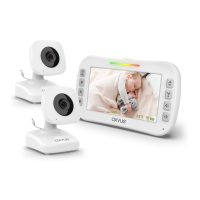
1. LED
2. Menu/Pan/Tilt
3. Volume
4. Brightness
5. Cam/Split
6. VOX
7. Zoom/Talk Back (OK)
8. Microphone
9. Power/Video
10. Speaker
11. DC Jack
12. Kickstand
13. Baery Compartment
Red LED flashs
Red LED stop flashing
Camera:
7. DC Jack
8. Wall Mounng Hole
Get to know us at: www.axvue.com
Please read the following instrucons and warnings carefully
Keep this instrucon manual for the future.
For technical support see the FAQ page.
For adult use only.
SETUP & USE
INSTRUCTION MANUAL
Model- A1HD
Revised at 03/2021
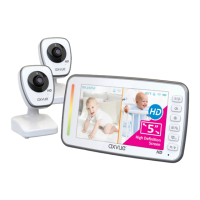
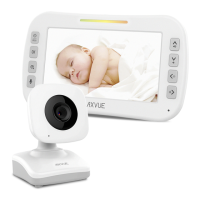
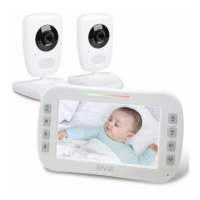
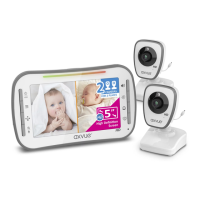
AXVUE A1HD VIDEO BABY MONITOR
with 5.0" HD LCD Screen and Two Cameras
Step 2:
Step 3:
Step 4:
Step 5:
Make sure the power adapter is plugged into
camera and turn on the camera by pressing
Power/Code “ ” buon for 3 seconds.
FEATURES & COMPONENTS
Press
Power & Low Baery Sound Lights
*LED
-Store this product out of the reach of babies (at least 3 feets (0.9 m)
away from the crib). A strap wound around the baby’s neck may result in
asphyxiaon. Use a safety clip to clamp the power cord and keep it out
of baby’s reach. Do not use other extension cords. Only use the power
adapter provided.
-Do not touch the exposed part if the adapter is connected with power.
-Test regularly before inial use or when change the posion of camera.
-Avoid placing the product in humid place or contacng with liquid. (such as bathtub, sink, etc.)
-Do not apply heat to the product.(such as stoves, radiators, etc.)
-Using the product in venlated place. Avoid placing it on sofas, cushions, beds or other places which
may block venlaon.
-The product only can be operated by adult. Do not allow baby to play with it. Tiny accessories are
contained, please be careful when unpack and install it.
THIS PRODUCT CAN NOT SUBSTITUE PARENT’S SUPERVISION
ON YOUR CHILD.
WARNING
-Only use the recommended rechargeable baery. Please contact us if you need to change it.
For the contact list, please refer to the last page of the instrucon.
-Please clean the baery compartment before using it.
-Avoid short circuits the power supply terminal.
-Remove the baery when you are not using it or when running out of power.
-Keep the baery away from children.
-Dispose of the empty baery properly.
BATTERY WARNING
4. Temperature Sensor
5. Speaker
6. Power/Code
Monitor:
Step 1: Place the monitor display in living room, bedroom or any place you want to watch your baby.
Use adapter to connect camera with electrical outlet.
Step 2: Turn on monitor by pressing Power/Video
“ ”
buon for 5 seconds unl
“
axvue
”
logo or
video shows up on the screen.
Step 3: Press Power/Video
“ ”
buon to turn off the video if you only need to hear the voice.
Step 4: Turn off the monitor completely by pressing and holding Power/Video
“ ”
buon for
5 seconds.
Please charge the battery for at least 8 hours before using
the product.
Step 1: Test recepon first, put camera in a suitable place that
will provide you the best view of your baby in the crib (Note:
Do not hang up the camera firmly unl inial installaon test
is completed). Plug adapter into wall outlet and turn on the
camera.
Step 2: Turn on monitor by pressing and holding
Power/Video
“ ” buon for 5 seconds unl “axvue” shows up, then
video will show up on the screen immediately. If video does
not show up, please refer to “TO PAIR MONITOR AND
CAMERA (ADD CAMERA)” at next page. If video shows up, the
inial installaon test is completed, then you can set up the
camera according to the instrucon below.
Set Up Camera: Place camera on a flat surface, such as
wardrobe or shelf (Figure 1). Or hang it on the wall (Figure 2).
No maer wherever to place the camera, please make sure to
keep it away from the crib for at least 3 feet and all power
cords should be placed behind the camera properly. Then
adjust the angle of camera lens unl the enre crib shows up
on the display, or adjust it to the best angle that you think to
watch your baby.
The monitor and camera are paired before shipment. If it is unpaired for some reason, please refer
to the following steps:
Step 1: Make sure the camera and monitor are in the same space.
Step 1: Charge the baery for at least 6
~
8 hours before using portable / baery mode.
Step 2: Make sure the adapter is plugged into camera.
Step 3: The baery life can be up to 10 hours if it is fully charged.
Baery life will be shortened if recharging it connuously. Unplug the AC adapter when you are not
using it for a long me.
Please charge the baery for 6
~
8 hours before using the product.
TO USE PORTABLE/BATTERY MODE
TO USE PLUGGED-IN MODE
TO PAIR MONITOR AND CAMERA (ADD CAMERA)
3 feet
3 feet
Figure 1
Figure 2
8
1
3
2
5
4
7
6
Turn on the monitor by pressing and
holding Power/Video “ ”buon
for 5 seconds.
Keep the distance between sensor and body at
least 0.6 inch for accurate temperature result.
1. Night-Vision LED
2. Lens
3. Microphone
0.6 in
Adapters:
× 3× 1 × 2


 To Next Page
 Need help?
 General