DefaultSettings
Allowtorestoreallsettingstofactorydefaultsettings
FirmwareVersion
Tocheckthecurrentfirmwareinthedashcam.You'llneedthis
necessaryinformationtocheckifnewerversionfirmwareis
availabletoupdate.OnthecomputervisittheAZDOMEwebsite
tocheckfor(www.azdomes.com>Support>Download)
M17Firmware.
FormatSDCard―OK/Cancel
Allowtoformattheinsertedmemorycard,alldatawillbe
deleted.
camwillpopup“ PleaseformatSDcard”toavoidtoomuch
lockedfilestouselooprecording.
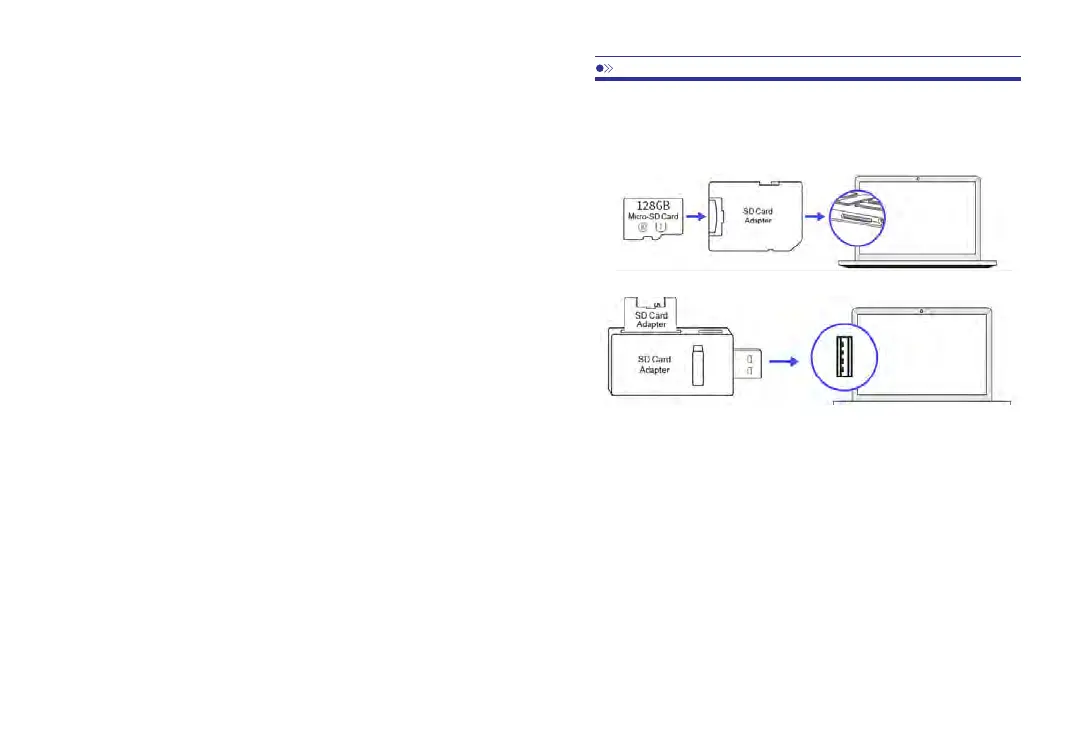
1.RemovethemicroSDcardfromthedashcam.
2.InsertthecardintothemicroSDcardreaderandconnectitto
acomputer.
10.PlayingVideoFilesUsingYourComputer
3.YoushouldbeabletoseedriveDorEorothername
dependingonthepre-installedharddrives.Onceyoufindthe
addedflashdrive,doubleclickit,thenyouwillseethefile
folders-Video/Lock/Photo
Video:Thelooprecordingvideofilesthatcanbeoverwritten.
Lock:ThevideofilewillbelockedsoitwillNOTbedeletedby
looprecordingfunction.
Photo:Thephotos
Thensimplydoubleclickonthevideotoplaythem.
WerecommendVLCMediaplayer.Youcangetitfreeat
.www.videolan.org
25 26
FatigueWarning―Off(Default)/1hour/2hours/4hours
Oncechoseatimedurationandturnonthisfunction,thedash
camwillmakesoundstoalert.
FormatSDWarning―Off/15days/30days(Default)/60days
Oncechoseatimedurationandturnonthisfunction,thedash



 To Next Page