EN-23 EN-24
9. General Setting
PleaseSTOPrecording
first,thenressthe‘ Device
Album’togetPhoto,Video,
Emergencyfiles.
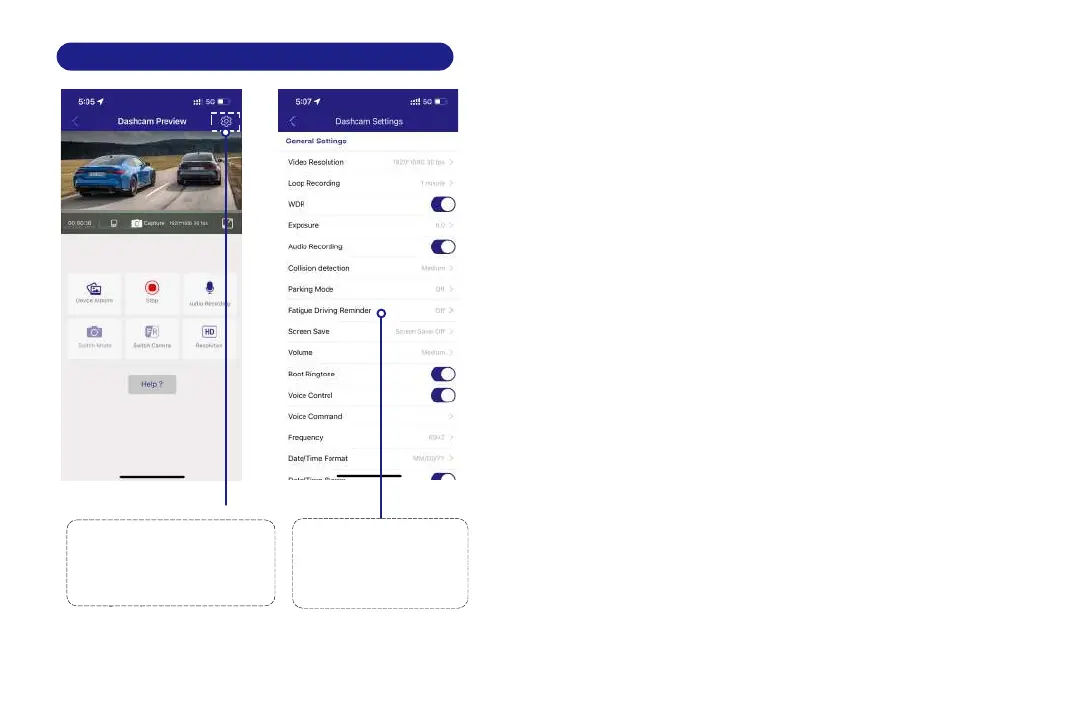
Go to Dashcam Preview
interface.
Please STOP recording first,
then press the settings icon.
1
Select what you
need to set.
2
Video Resolution
The video resolution of this camera is 1920 x1080P 30fps.
Loop Recording — 1min/ 3mins(Default)/ 5mins
Please select the length of each video clip (1/3/5 minutes) for
loop recording. This function enables continuous recording
on the dash cam. Please note that when the memory card
becomes full, the dash cam will automatically delete the
oldest files to make space for new recordings. This ensures
that it can continue recording without interruption.
Audio Recording — On(Default)/Off
The dashcam has built-in microphone to record audio with
video. You can choose to record mute video by choosing OFF.
G-Sensor — Off/ Low/ Medium(Default)/ High
G-sensor is a 3-axis impact gravitational accelerometer,
designed to detect physical and gravitational forces on the
dash cam. Once G-sensor has been triggered due to physical
9.1 Video Settings
Exposure —-3.0/ -2.0/ -1.0/ +0.0(Default)/ +1.0/ +2.0/
+3.0
To adjust video exposure setting for either brighter or darker
video accordingto your preference.
WDR— On(Default)/Off
WDR stands for "Wide Dynamic Range," which means the
camera or display can adapt to scenes with large differences
in brightness, allowing details in both dark and bright areas
to be clearly displayed.



 To Next Page