5. HOW TO USE AZERON SOFTWARE
5.1. CALIBRATING THUMBSTICK
If you will be using your keypad for first time or just recently reinstalled
software or firmware, then you need to calibrate the thumbstick. Here
is steps on how to do it:
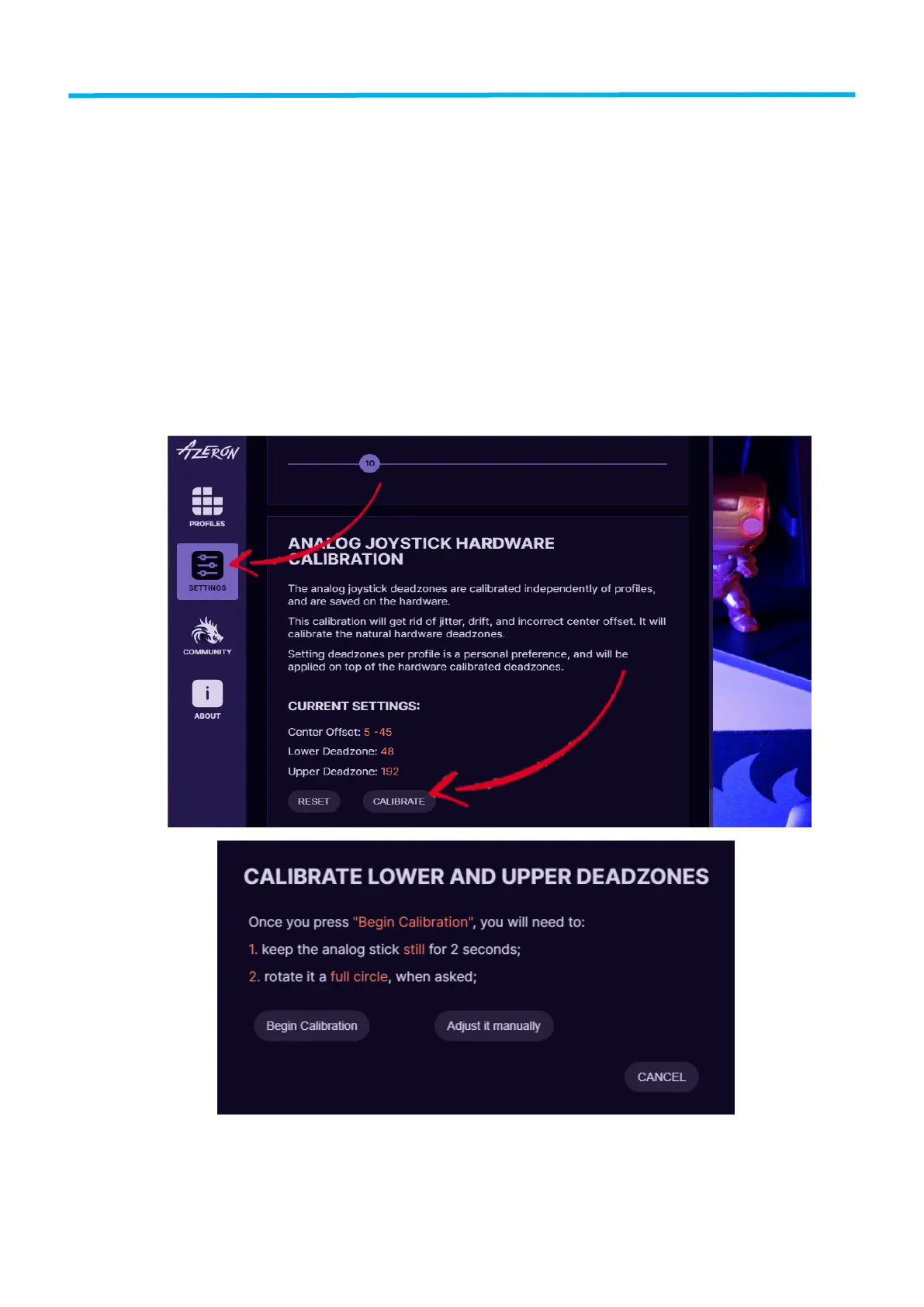
Plugin the USB cable of device to your PC. Open the Azeron
software. Go to Settings. Make sure the restrictor ring is
removed from the thumbstick! Press on button “Calibrate” and
carefully follow the instructions on screen.


 To Next Page