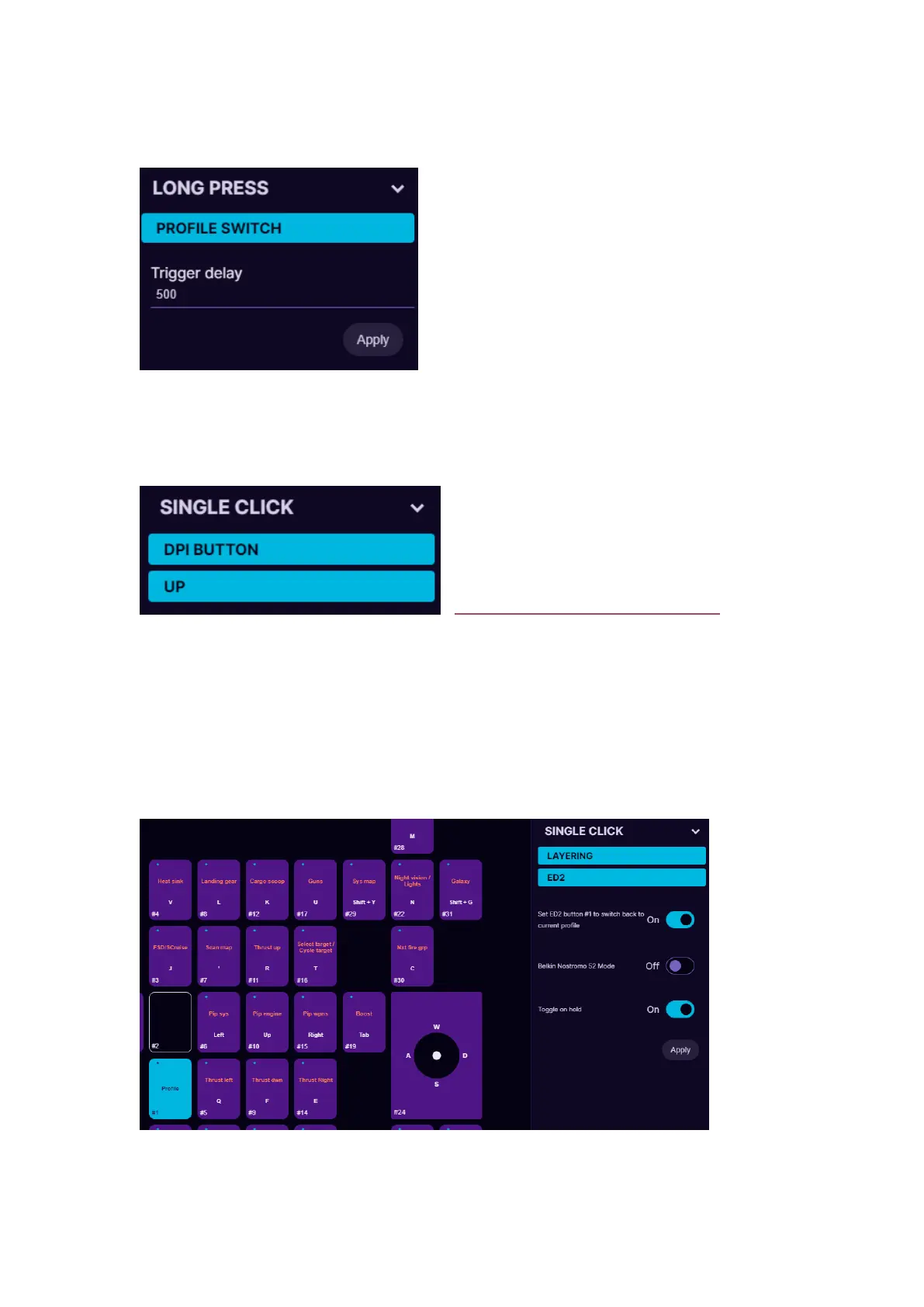
5.4.8. Profile switch
You can setup any of the Cyro buttons to act as a profile switch. While
holding the profile switch, you can
scroll the mouse wheel to switch
between profiles in the on-board
memory (or favorite profiles in the
software). We suggest to setup the
profile switch under long press, so that
the same button can be used for other
keybinds on single press.
5.4.9. DPI Button
Any of the buttons can be used to
change the DPI setting up or down. It
will switch between the Stages that
are setup in the sensor settings (see
5.6 MOUSE SENSOR SETTINGS to
learn more about the sensor settings)
5.4.10. Layering
Any of the buttons can be programmed as a shift button to switch
between several button layers on the fly thus increasing the number of
functions that can be programmed into the other buttons by several
times.


 To Next Page