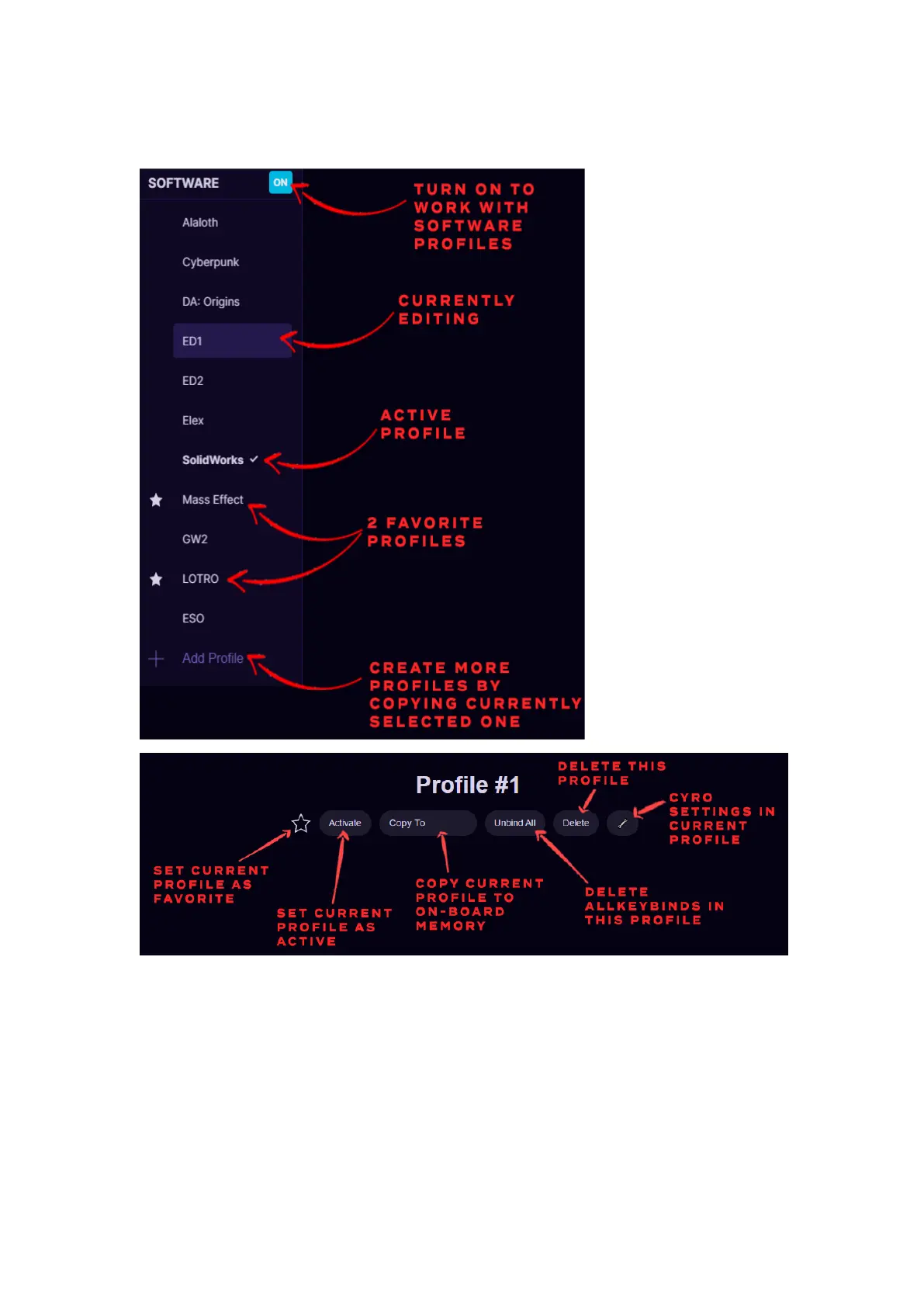
board memory profiles. Or you can activate any selected profile with
Activate button.
Any software profile can also be sent to On-board memory, by pressing
Copy To and choose in which profile to copy the keybinds or choose to
create a new profile in the on-board memory.
At the bottom of the profile list is button + Add Profile, which will create
a new profile by copying currently selected profile.


 To Next Page