User Manual
Page 16 of 43
2. Click Connect button to connect to the desired AP.
Connecting to WEP-Secured Wireless AP
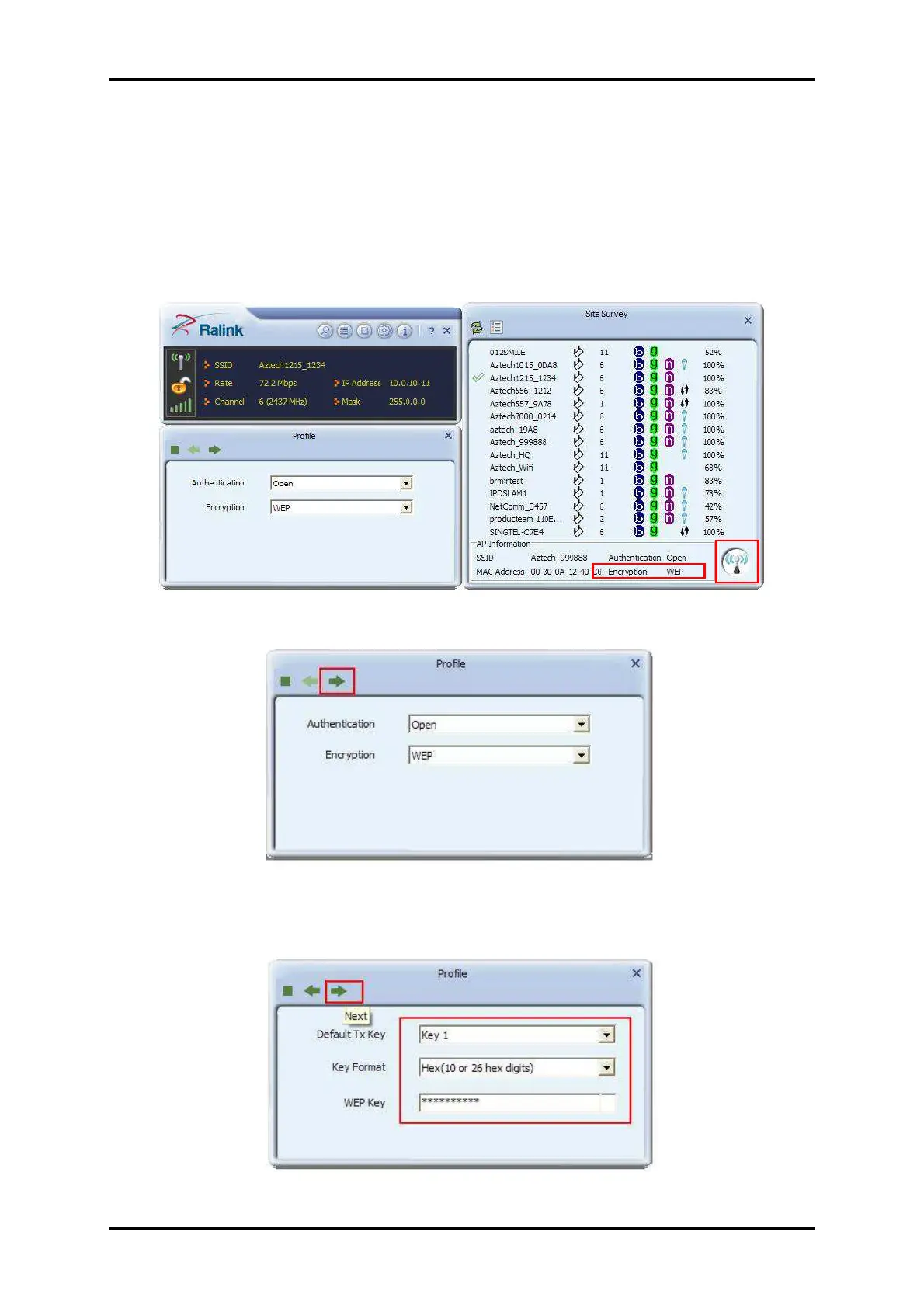
1. Select an AP with WEP encryption and click "Connect".
2. The Authentication and Encryption window will appear as below
3. Select the Default Key and Key format set on the AP then enter the WEP key on
the required field. Click Next to connect to the desired AP.


 To Next Page