User Manual
Page 27 of 43
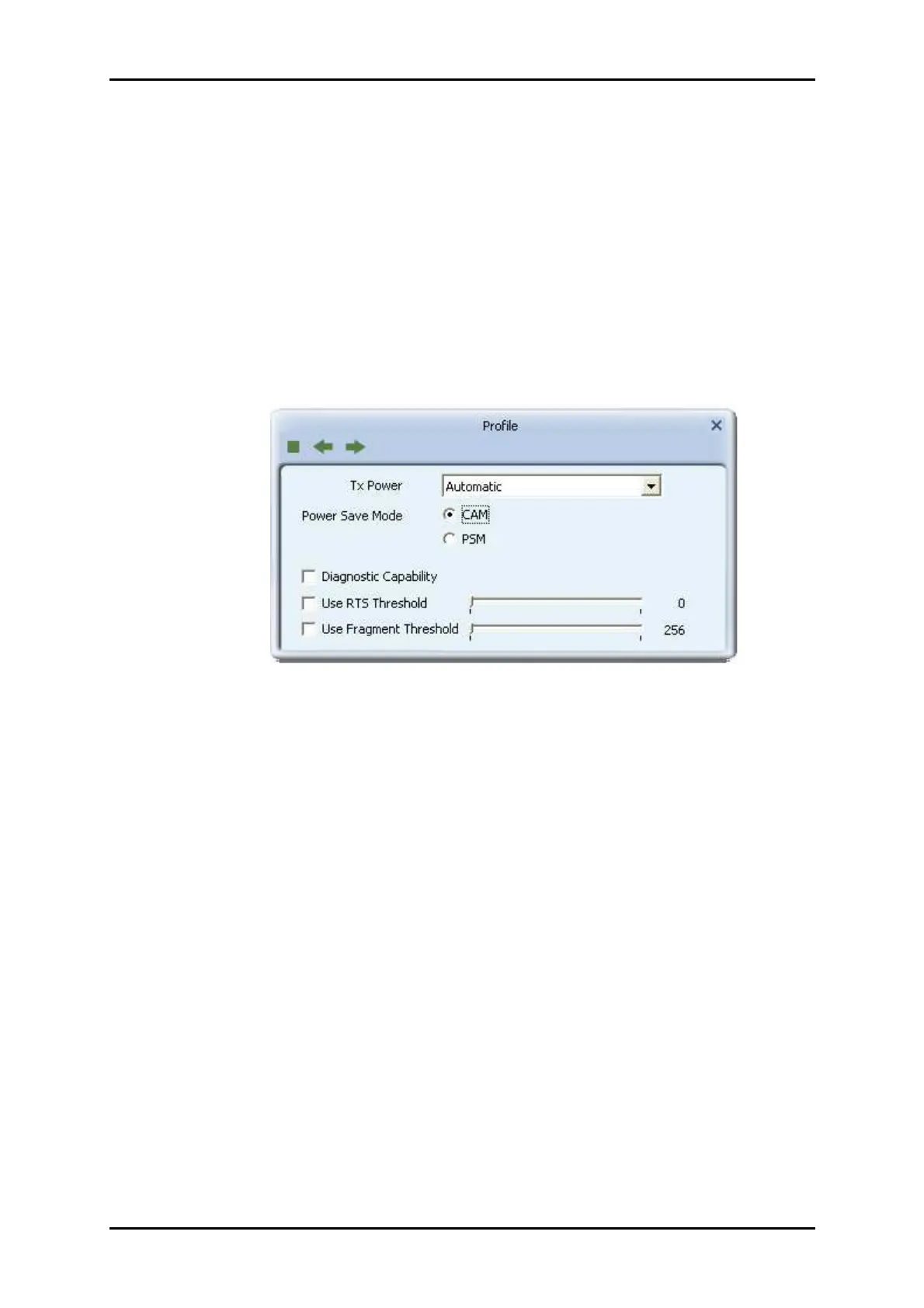
9. Power Save Mode: Choose CAM (Constantly Awake Mode) or Power Saving Mode.
10. Channel: Only available for setting under Ad-hoc mode. Users can choose the
channel frequency to start their Ad-hoc network.
11. RTS Threshold: User can adjust the RTS threshold number by sliding the bar, or key
in the value directly. The default value is 2347.
12. Fragment Threshold: User can adjust the Fragment threshold number by sliding
the bar or key in the value directly. The default value is 2346.
Network
The system will display the information of local APs from the last scan result as part of
the Network section. The Listed information includes the SSID, BSSID, Signal, Channel,
Encryption algorithm, Authentication and Network type as shown below.


 To Next Page