User Manual
Page 24 of 43
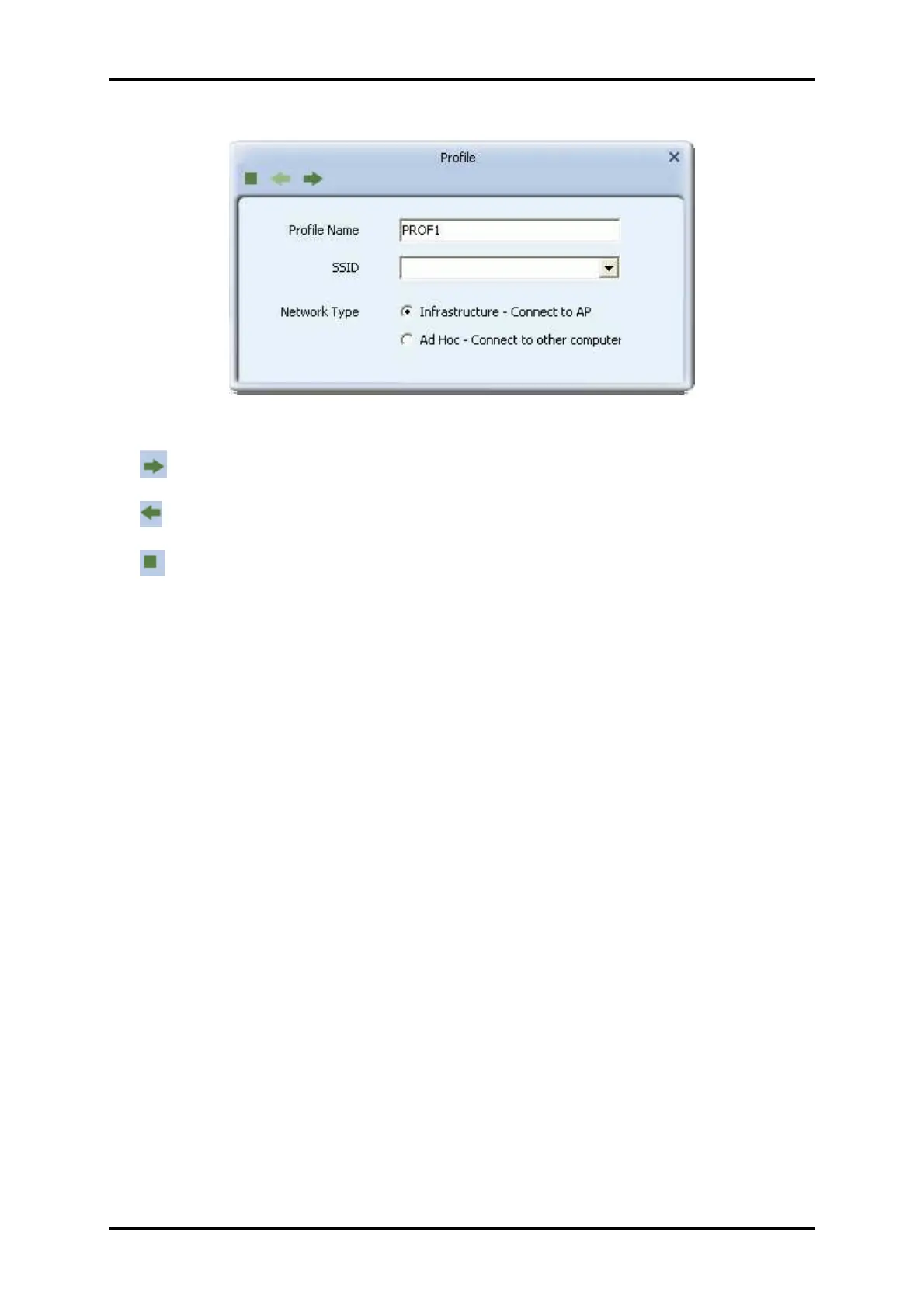
Add a new Profile
: Next Button.
: Back Button.
: Cancel Button.
Parameter definitions
1. Profile Name: The user can chose any name for this profile, or use the default
name defined by system.
2. SSID: The user can key in the intended SSID name or select one of the available
APs from the drop-down list.
3. Network Type: There are two types, infrastructure and 802.11 Ad-hoc mode.
Under Ad-hoc mode, user can also choose the preamble type. The available
preamble type includes auto and long. In addition, the channel field will be
available for setup in Ad-hoc mode.


 To Next Page