4
Data transfer modes
The HVA built-in memory can save up to 50 reports and 40 test sequences. Data
storage location and transfer capability depends on the configuration of the
communication port .
Configuration
Characteristics
RS232
(standard)
• During testing, RS232 cables are not connected to communication
port
• Test sequences are directly saved to HVA memory
• New reports are directly saved to HVA memory
• All test sequences and reports saved in HVA memory can be
transferred to the linked PC once the HVA Control Center CD has
been installed
USB flash
adapter
(optional)
• During testing, USB adapter and stick are connected to
communication port
• When connected, left hand corner of main menu displays “USB”
• Test sequences are directly saved to HVA memory
• New reports are directly saved to USB stick inserted in adapter
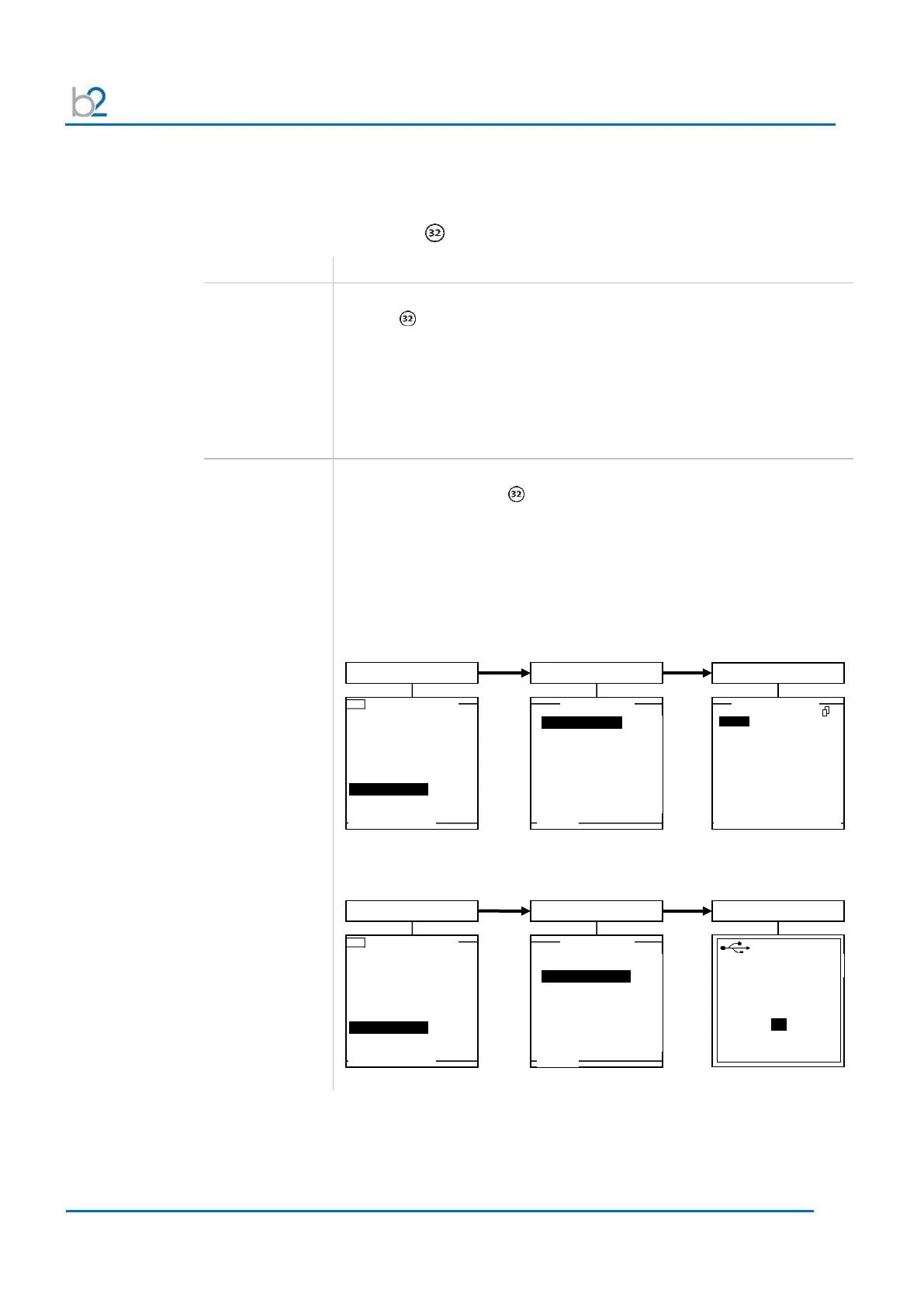
• Reports saved on the USB stick can be retrieved and viewed on the
HVA display:
• All reports saved in HVA memory can be transferred to the linked
USB stick:
USB - Main Menu - HVA 120
Use Last Test Seq.?
3.0kV Maint. C. HYBR (T)
Start a New Test
View Reports (2)
Store Rep. to USB
USB Memory Stick
attached
USB - Main Menu - HVA 120
Use Last Test Seq.?
3.0kV Maint. C. HYBR (T)
Start a New Test
View Reports (2)
Store Rep. to USB



 To Next Page