5
5.2 Manual Test Mode
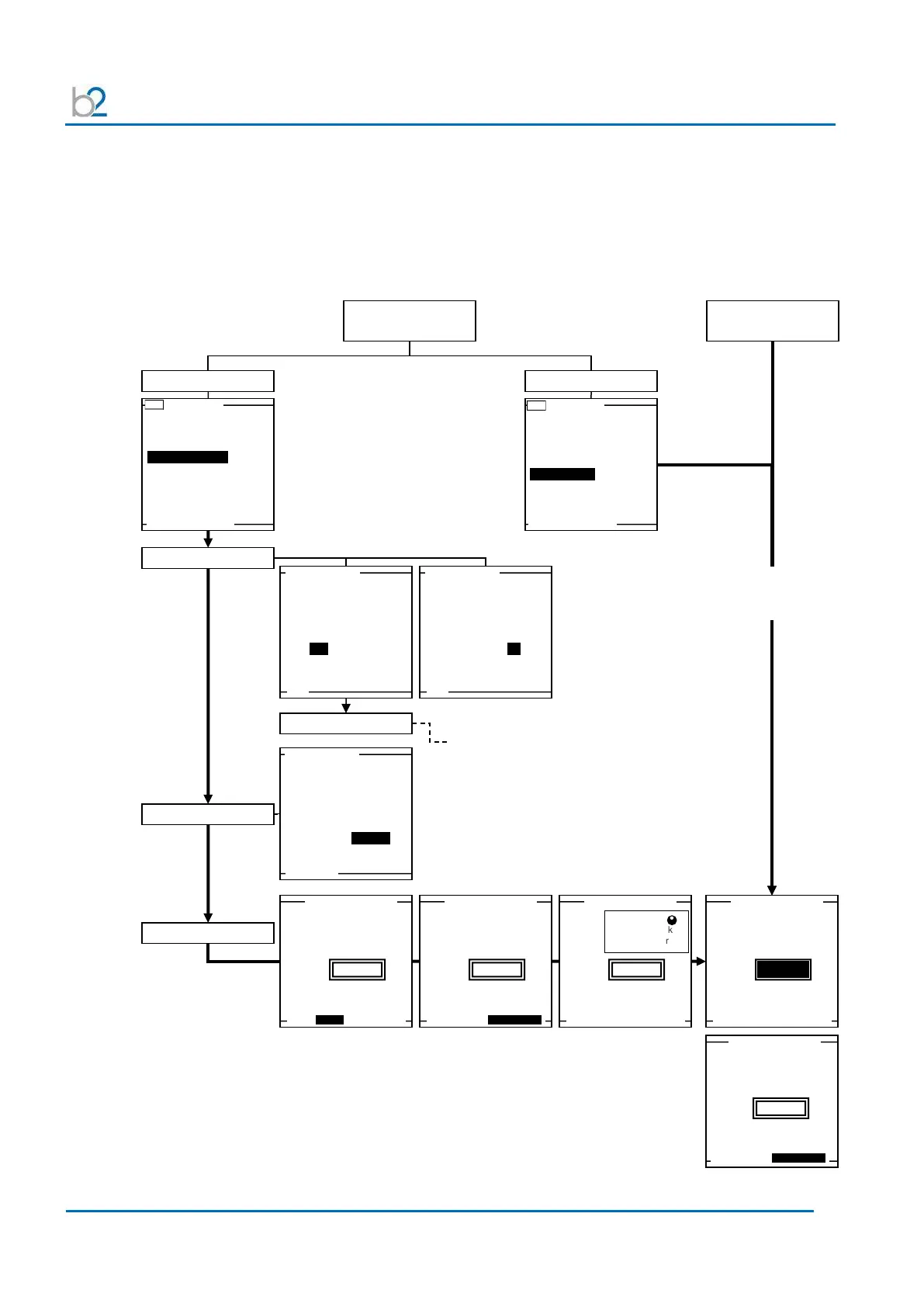
This HVA test mode facilitates rapid testing. If the default is the “Manual Mode
Screen,” a test with the same settings as the previous test can be started directly
after activating the system. Similarly, if the “Main Menu” is set as the 1
st
screen,
select “Manual Mode.” Otherwise, select “Start a New Test” to change test
parameters or to activate reporting.
Manual Mode
Default Screen
Use Last Test Seq.?
3.0kV Maint. C. HYBR (T)
Start a New Test
Use Last Test Seq.?
3.0kV Maint. C. HYBR (T)
Start a New Test
store a report?
Yes No
store a report?
Yes No
HVA guides user through series of questions (see section 6):
• DUT type
• Voltage rating
• (Cable) insulation
MAIN SETUP Trip out on Arc
HVA guides user through
series of questions:
• Waveform
• Frequency
Auto Test Sequence
or use Manual Mode?
MAIN SETUP Trip out on Arc
MAIN SETUP Trip out on Arc
MAIN SETUP Trip out on Arc
Modify arc management
mode
Timer: 30 m 0s, report active
DUT 1.0kV Cable XLPE
MAIN SETUP Trip out on Arc
NOTE: If Reporting is active, screen displays additional info.
To test with identical parameters as last
manual test
(i.e. parameter as seen on screen.)
No reporting is possible!



 To Next Page