168
APPENDIX — — — — — — — — — — — — — — — — — — — — — — — — — — — — — — — — — — — — — — — — — — — — — —
Upgrading Your Machine's Software
You can use a computer to download software upgrades for your sewing machine.
Visit our website at www.babylock.com for notification of available updates.
Note
z Be sure to download the upgrade file for this model from our web site. An upgrade file for any different
model cannot be downloaded.
z Refer to the "Changing the machine settings" (page 19) for how to check the version of the sewing
machine’s software.
Memo
z The embroidery pattern which is saved in the sewing machine will not be deleted if you upgrade the
software.
z While the software is being upgraded, the buzzer will not sound when a key is pressed.
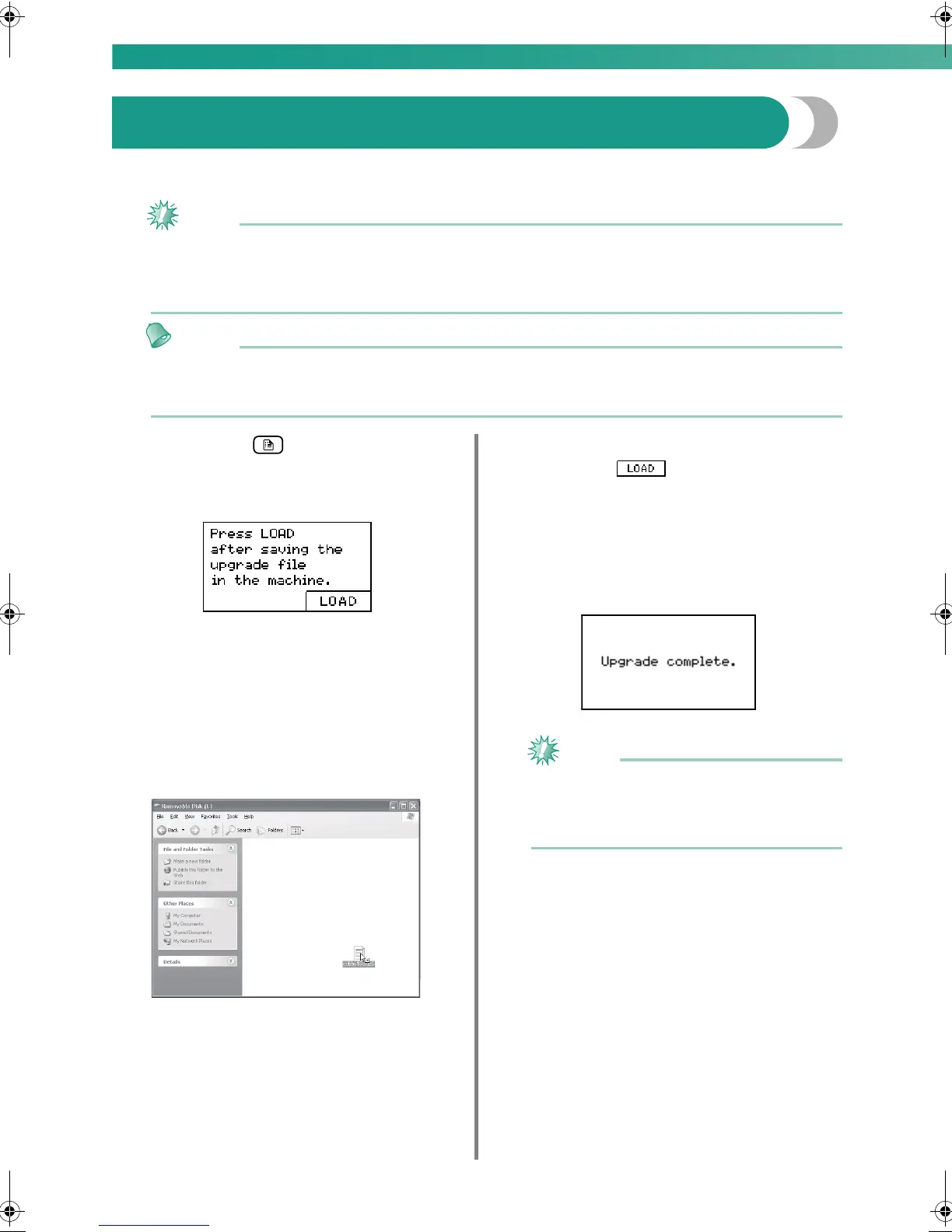
a
While holding (Settings key) pressed,
turn on the machine.
X The following screen appears.
b
Plug the USB cable connectors into the
corresponding USB ports on the computer and
on the machine.
X The “Removable Disk” icon appears in “My
Computer” on the computer.
c
Copy the upgrade file to "Removable Disk".
X The message “Connected to PC. Do not
disconnect the USB cable.” appears.
d
When the screen shown in step a appears
again, press .
X The message “Saving the upgrade file. Do
not turn main power to OFF.” appears.
e
When the following screen appears, upgrading
is completed.
Note
z If an error occurred, an error message
appears. At this time, turn the machine off,
and then start the procedure again from step
a.
f
Disconnect the USB cable, and turn the
machine off, then on again.
0711-0120-C-combo_E.book Page 168 Tuesday, August 26, 2008 2:43 PM





 To Next Page