EasyManua.ls Logo

Baccara G75-DFC - User Manual

Baccara G75-DFC
16 pages
Print Icon
To Next Page IconTo Next Page
Loading...
G75-DFC
AUTOMATION & CONTROL
Tackling climate
change together
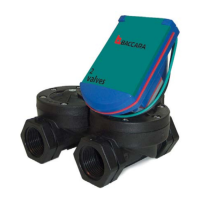
Differential Filtration Controller
Installation - Operation - Maintenance
IOM

Questions and Answers

Baccara G75-DFC Specifications

General IconGeneral
BrandBaccara
ModelG75-DFC
CategoryController
LanguageEnglish

Summary

INTRODUCTION

General

Overview of the Baccara G75-DFC controller's general characteristics and functionality.

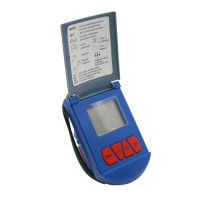
Display

Details on the information presented on the controller's LCD display screen.

Technical Data

Specifications and operating parameters for the G75-DFC controller and its components.

SAFETY INSTRUCTIONS

General Safety Precautions

Essential safety guidelines for handling and operating the G75-DFC filtration controller.

Preparation to Installation

Procedures and precautions for safely preparing the G75-DFC controller for installation.

Installation Safety

Specific safety instructions to follow during the physical installation of the G75-DFC controller.

First Startup Safety

Safety considerations and procedures for the initial startup of the G75-DFC controller.

Operation and Maintenance Safety

Safety measures to observe during the operation and maintenance of the G75-DFC controller.

INSTALLATION

G75-DFC Wires Assignment

Guide to connecting the controller's wires to solenoids and the DP switch.

DP Switch Installation

Instructions for correctly installing the Differential Pressure (DP) switch.

LV9000 Wire Connectors

Steps for using LV9000 wire connectors for secure electrical connections.

DryConn Wire Connectors

Instructions on how to properly use DryConn wire connectors for the system.

BATTERY INSTALLATION

Before Battery Installation

Preliminary steps and checks before installing the battery in the controller.

Replacing the Battery

Procedure for safely replacing the controller's battery when needed.

The User Interface

Monitoring Operation

How to monitor the controller's status and readings through its interface.

Auto Mode

Explanation of the controller's automatic operation mode and its display indicators.

OFF Mode

Details on the controller's OFF mode for pausing operations.

Switching Operation Modes

Instructions on how to switch between Auto and OFF operating modes.

Backwash Cycles Counter

How to view and reset the counter for backwash cycles.

Manual Backwash Start

Procedure for manually initiating a backwash cycle using the controller buttons.

Programing the Controller

Factory-Set Parameters

List of pre-configured parameters that cannot be altered by the user.

User Programmable Parameters

Overview of parameters that can be customized by the user.

Setting Backwash Time

Guide to configuring the duration of each filter's backwash cycle.

Setting Interval Time

Procedure for setting the maximum time between automatic backwash cycles.

Setting Number of Filters

How to configure the controller for the number of filters in the system.

TROUBLESHOOTING

WARRANTY

BACCARA WORLD WIDE

Related product manuals