7.0 Fitting Your Golf Bag
Securing the top bag strap
• Provide a good location for the positioning of both ends of
the bungie straps.
• Stretch the longer end of the strap and secure to the
extended shorter end.
• The attached strap should now be connected.
Adjusting the length of the top strap
• The plastic bar on the longer length can be adjusted to
ensure the bag is secured properly in place.
Securing the lower bag strap
• The Quad cart is designed so the lower bag strap is no longer
required. However the lower strap has been included for
your own preference. It is easily attached by clipping each
end of the strap into the eyelets on the lower bag support.
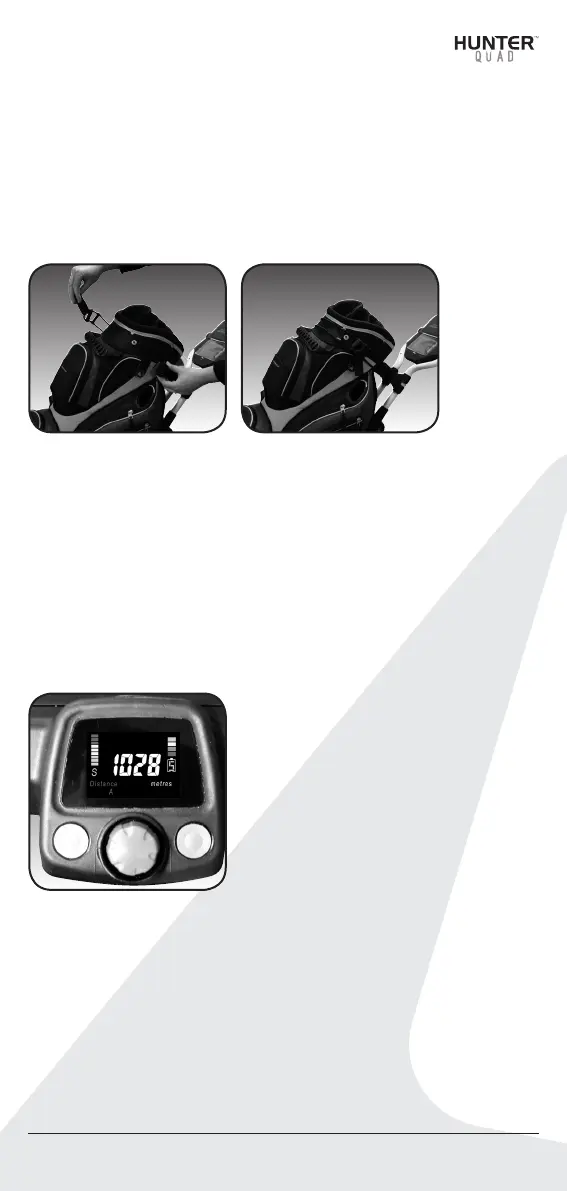
8.0 Operating the Digital Top Box
1. Control button 1
2. Control button 2
3. Speed Control ON / OFF button
4. Speed indicator
5. Battery level indicator
6. S-SLA battery type / L–Lithium
8.1 On/Off Speed Control Button
To start your cart:
1. Preset your desired speed by rotating the speed control
button clockwise to increase speed, or counterclockwise to
decrease the speed. The speed setting chosen is displayed
on the color screen on the left side. Then tap the speed
control button to start and stop the cart, or
2. Simply tap the speed control button to start the cart,
then adjust the speed settings to your desired speed.
4.
Hunter™ Quad User Manual 15
4. 5.4. 5.
1.
4. 5.
6.
2.
3.


 To Next Page