16
8.2 Battery Level Indicator
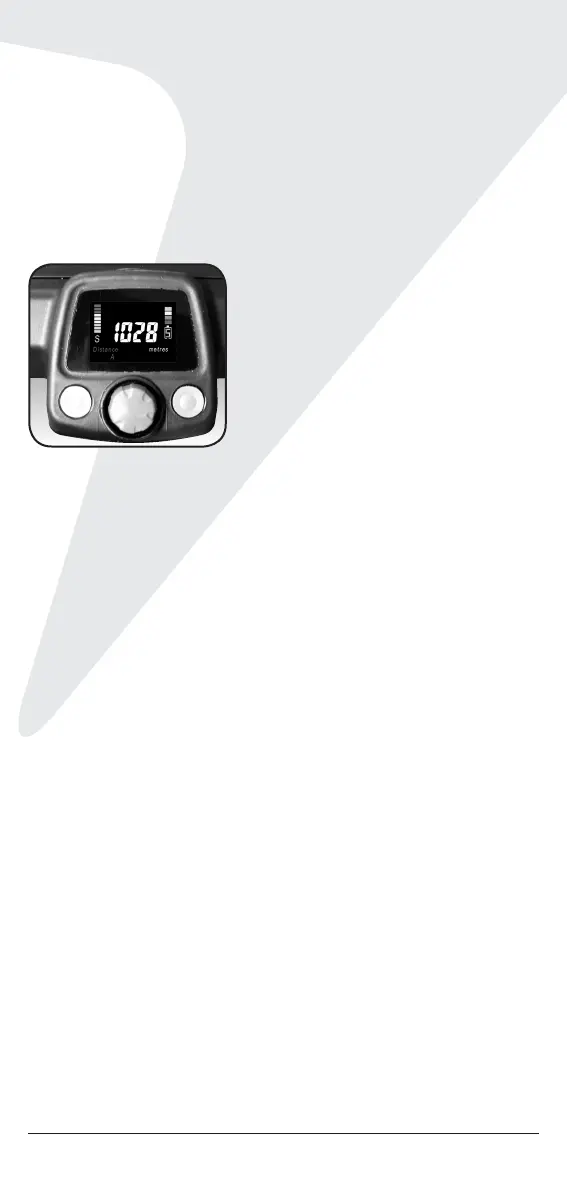
Battery indication is located on the right side of the top screen.
Two colored bars (the top bar and bottom bar) are highlighted
showing a full charge. When only the bottom is highlighted, there
is less than 25% battery life remaining. You should always check
the battery status before you play golf to ensure the top and
bottom bars are highlighted.
The battery indicator is set to measure the capacity of your
battery. The battery type is displayed with an L [lithium] or an
S [SLA] under the battery level indicator. If you need to change
the battery type:
1. Disconnect the battery.
2. Hold down button 2 [right of the Speed Control].
3. Keep holding the button down, and connect the battery.
4. Release the button, then press it again to shift between
L for Lithium and S for SLA battery type.
5. Once the battery type is set disconnect the battery.
8.3 Unit Measurements
You can move from kilometers to miles simply by pressing the
Control button 2 [on the right].
8.4 Distance Modes
There are three distance measurements. To move between the
modes, press Control button 1 [on the left].
1. Distance A and B: resettable distance measurements can be
used to measure how far you hit your shot and how far you
have walked for the day. To reset, simply press Control button
1 [left side] for 3 seconds until the reading displays “0.”
2. Distance Total: cannot be reset as it is the Odometer for the life
of the cart. This feature will assist with service reminders which


 To Next Page