Document: 333D012G
5-18-2007
- 46 -
9) Bolt the leg in position with items 2, 3, and 4. (Two bolts per leg)
10) Repeat steps 7 through 9 for the other leg then remove the blocking.
11) Repeat steps 6 through 10 for the other end of the unit.
12) Plug open holes using item 5. (One per leg)
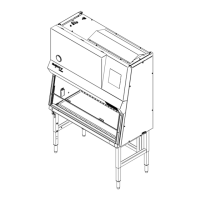
Raising the Unit to the 38 5/8” [981mm] Work Surface Height - Adjustable Leg Leveler Option
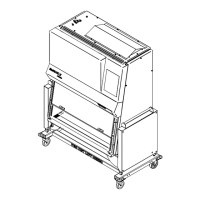
Raising the Unit to the 36” [914mm] Work Surface Height - Caster Option
13) Lift one end of the unit up a minimum of 7” [178mm] and block in position.
14) Unscrew the bolts (Two per leg) that hold the legs in the current work surface height position.
15) Slide the leg out of the stand until the holes line up at the next position.
16) Bolt the leg in position with items 2, 3, and 4. (Two bolts per leg)
17) Repeat steps 14 through 16 for the other leg then remove the blocking.
18) Repeat steps 13 through 17 for the other end of the unit.
19) Plug open holes using item 5.
(Two per leg Adjustable Leg Leveler Option - One per leg Caster Option)
Turn in opposing directions for fine adjustment to aid in leveling of cabinet.



 To Next Page