QR
Code
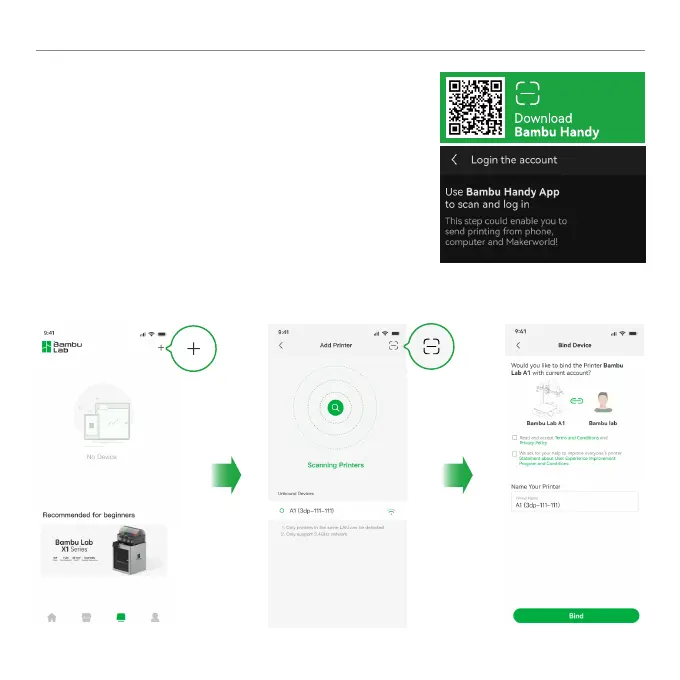
① Download the Bambu Handy App. Register and log in to
your Bambu Lab account.
② Use Bambu Handy to scan the QR code on the screen,
and bind your printer to your Bambu Lab account.
③ Follow the instructions on the screen to complete the
initial calibration. It is normal to have vibration and noise
during the calibration process.
Printer Binding



 To Next Page