Linux:Rununzip[downloadedfilename]command.
5.WritetheimagefiletotheSDcard.
Androidimage
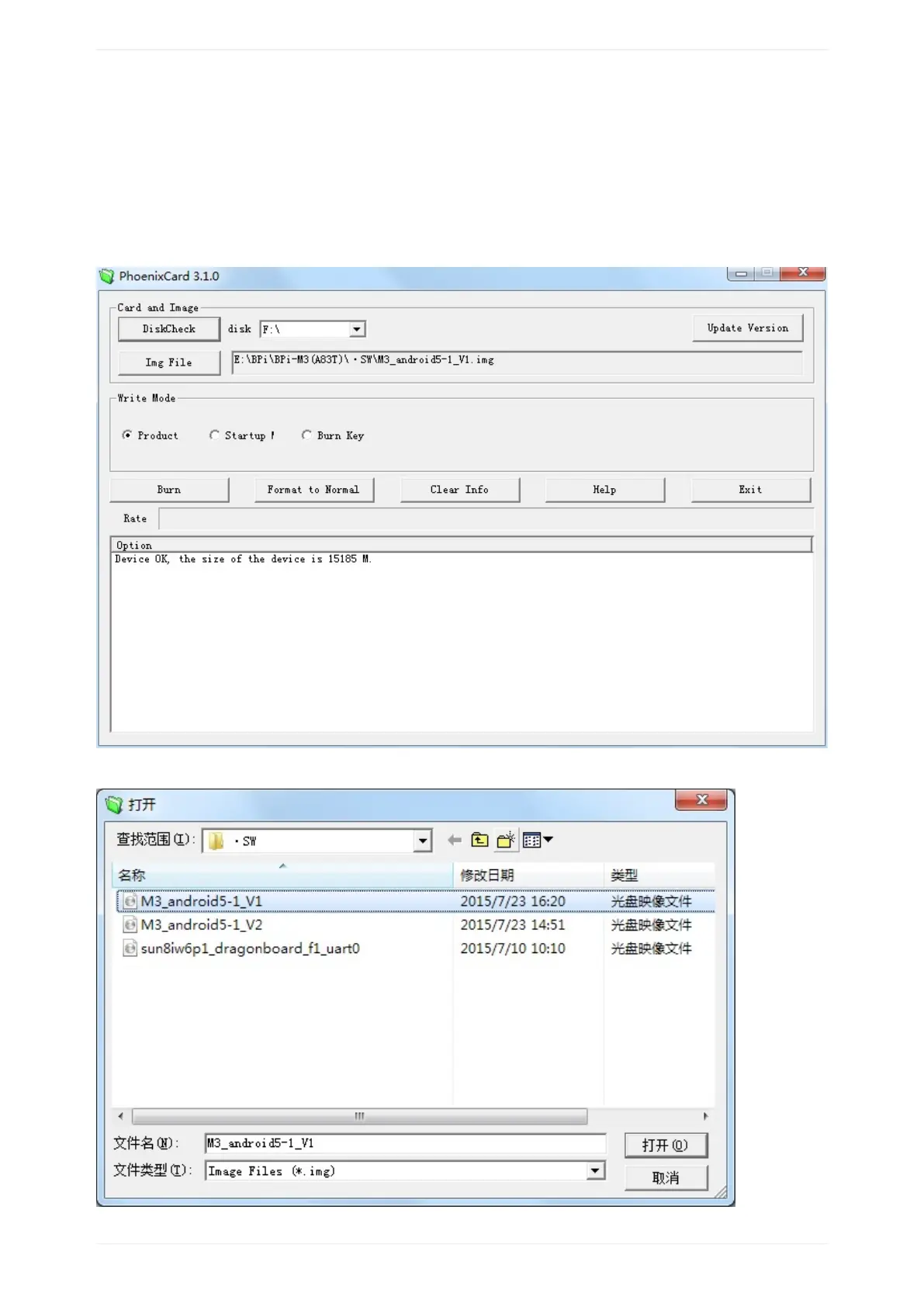
5.1YouneedtousePhoenixCardtomaketheSDcard.DownloadthePhoenixCardfromhttps://drive.google.com/open?
id=0BzoTh3Vdt47ffi1ld0RuWXhUVzdYdjFjaHEtMlNQWVFTRmIxcC1OQnczSTV6OGRZWGplNU0
5.2RunPhoenixCard.exe,Press“DiskCheck”andselectdiskofSDCard.
5.3Press“ImageFile”andSelectsystem.img.


 To Next Page